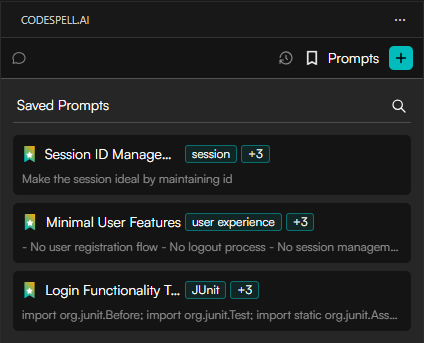
Saved Prompts let you store frequently used instructions or queries in CodeSpell so you can reuse them anytime with a single click without rewriting or rethinking the prompt.
Why Saved Prompts Matter?
Developers often repeat the same instructions for explaining, documenting, testing, or optimizing code
Saved Prompts eliminate repetition and ensure consistent results every time
They help turn best practices into ready-to-use templates
How to Save a Prompt?
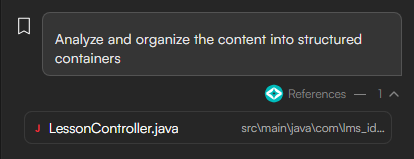
Ask a question or apply a spell Locate the bookmark icon left to the specific input/prompt.
Click the bookmark icon to save that prompt.
The prompt is now added to Saved Prompts.
And can be reused anytime using the # icon.
Saved prompts can also be shared across teams or within the organization for consistent and reusable workflows.