


Changelog
July 1, 2026
.svg)
.png)
The task sounded simple enough, “Fix the fallback logic for checkout.” No spec. No doc. No context.
Just a familiar kind of ticket most developers have seen before.
The assumption was that someone on the team would figure it out quickly.
But several hours later, what should have been a quick fix had turned into a rabbit hole of half-documented flows, reused helper functions, and service files that contradicted each other. They needed a codebase explorer that could reveal how everything connected.
This wasn’t about vague requirements.
It was about a codebase that made even small changes harder than they had to be.
A growing codebase brings new challenges. As applications expand, developers spend more time understanding existing systems and less time building new features.
This is where a codebase explorer becomes valuable.
Instead of manually tracing files, dependencies, and service relationships, developers gain a clear view of how the entire application is connected. This visibility reduces guesswork and helps teams move faster with greater confidence.
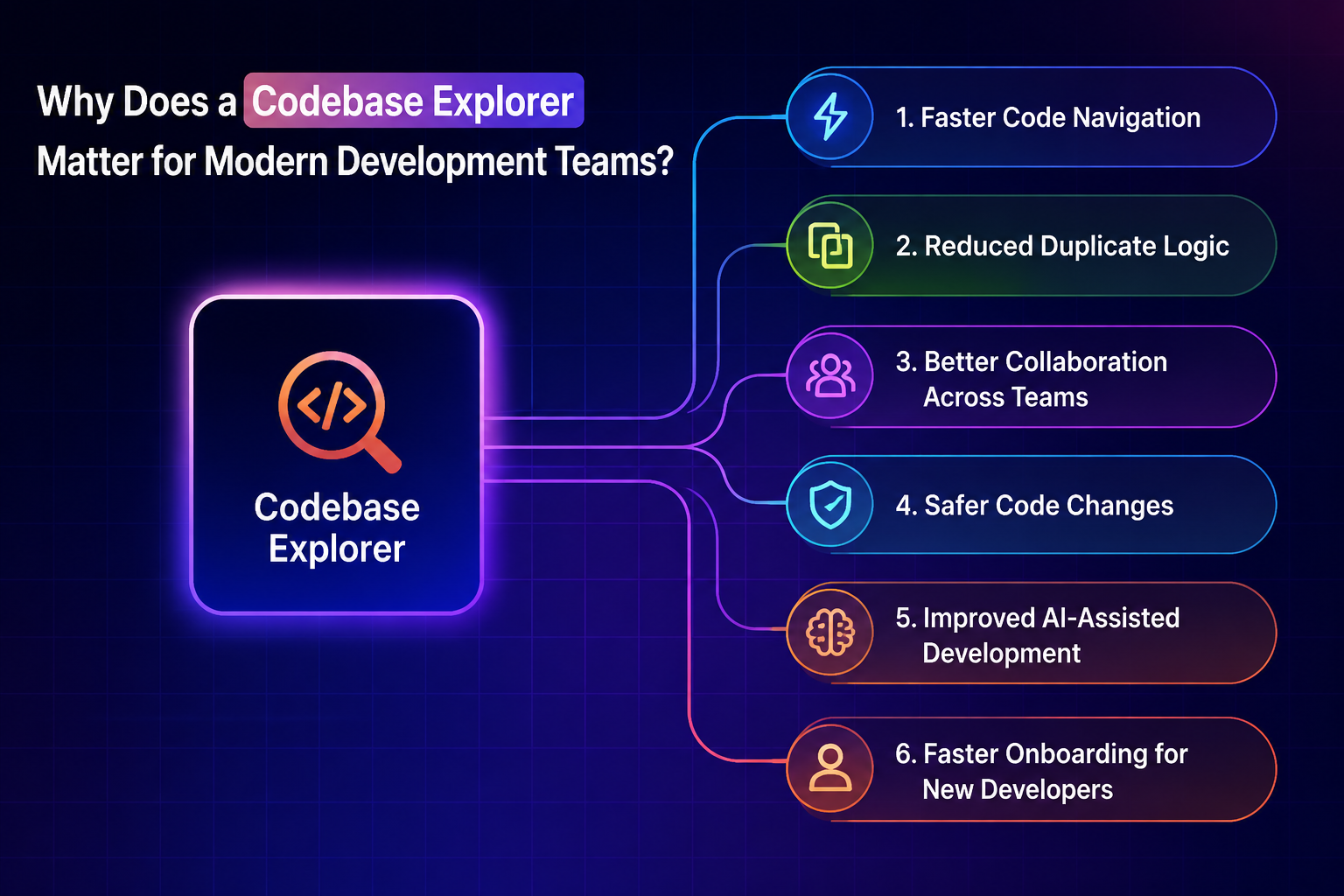
Here are some of the key benefits of using a codebase explorer:
Finding the right file should not take longer than implementing the solution.
A codebase explorer helps developers quickly locate relevant services, functions, modules, and dependencies. Instead of jumping between dozens of tabs, teams can understand project structure from a single view.
This reduces investigation time and allows developers to focus on solving problems.
One common issue in large projects is rebuilding functionality that already exists.
Without visibility into the codebase, developers may unknowingly recreate utilities, services, or business logic. A codebase explorer helps surface existing implementations, encouraging reuse and reducing unnecessary code duplication.
The result is a cleaner and more maintainable application.
Modern software development is highly collaborative.
Developers often work across shared components, APIs, and services. A codebase explorer provides a common understanding of how different parts of the application interact, making collaboration easier across teams.
This shared visibility reduces confusion and improves development efficiency.
Making changes without understanding dependencies can introduce unexpected bugs.
A codebase explorer reveals where functions, components, and services are being used throughout the application. This allows developers to evaluate the impact of changes before modifying critical logic.
Better visibility leads to fewer regressions and smoother releases.
The effectiveness of an AI code assistant depends heavily on context.
When AI understands the surrounding codebase, it can generate more accurate suggestions, recommend reusable logic, and align output with existing architecture. Combining a codebase explorer with AI-assisted coding creates a more reliable development workflow.
Developers spend less time correcting AI-generated code and more time delivering features.
Please read: Comprehensive Guide to AI Assistants
Joining a new project often means spending weeks understanding the system.
A codebase explorer accelerates onboarding by helping developers visualize relationships between files, services, and workflows. Instead of relying solely on documentation or team members, they can explore the codebase independently.
This shortens ramp-up time and improves productivity from day one.
Documentation helps, until it falls out of date and style guides work, until they’re broken in a pinch.
But documentation lives outside the code and modern development happens inside it.
What developers need isn’t a better wiki, they need real-time understanding of:
Without that, the team is stuck guessing again.
Here are some key capabilities modern teams need:
AI-Powered Context Awareness
A modern AI code assistant does more than generate code.
It understands project structure, connected services, dependencies, and existing implementation patterns. This allows developers to spend less time searching and more time building.
Smarter Code Suggestions
Most AI code completion tools focus on speeding up code creation.
However, generating code is only part of the challenge. Developers also need suggestions that fit existing architecture and align with project standards.
Better Decision-Making
The value of a top AI code assistant comes from its ability to understand context.
Instead of providing generic recommendations, it helps developers identify reusable logic, assess the impact of changes, and make safer implementation decisions.
Faster Navigation Across Large Projects
Understanding a large application should not require dozens of browser tabs and endless searches.
Context-aware tools help developers quickly locate dependencies, related services, and connected workflows, reducing time spent on investigation.
Reduced Rework and Errors
When developers can see how components interact, they are less likely to duplicate functionality or introduce breaking changes.
This leads to cleaner implementations and more efficient development cycles.
Greater Confidence During Development
The smartest AI assistant is not simply the one that writes code the fastest.
The smartest AI assistant helps developers understand where code belongs, what it affects, and how it fits into the broader system, enabling faster and more confident delivery.
Before exploring how Workspace Context transformed the team's workflow, it helps to understand the difference between traditional development approaches and a context-aware development environment. Modern teams increasingly rely on an AI code assistant to speed up development, but understanding the broader project context remains just as important.
Things changed with Codespell’s Workspace Context.
Workspace Context doesn’t just scan the file being worked on. It understands how that file fits into the entire project. The surrounding services. The connected routes. The dependencies. The tests.
It doesn’t just generate code. It generates direction.
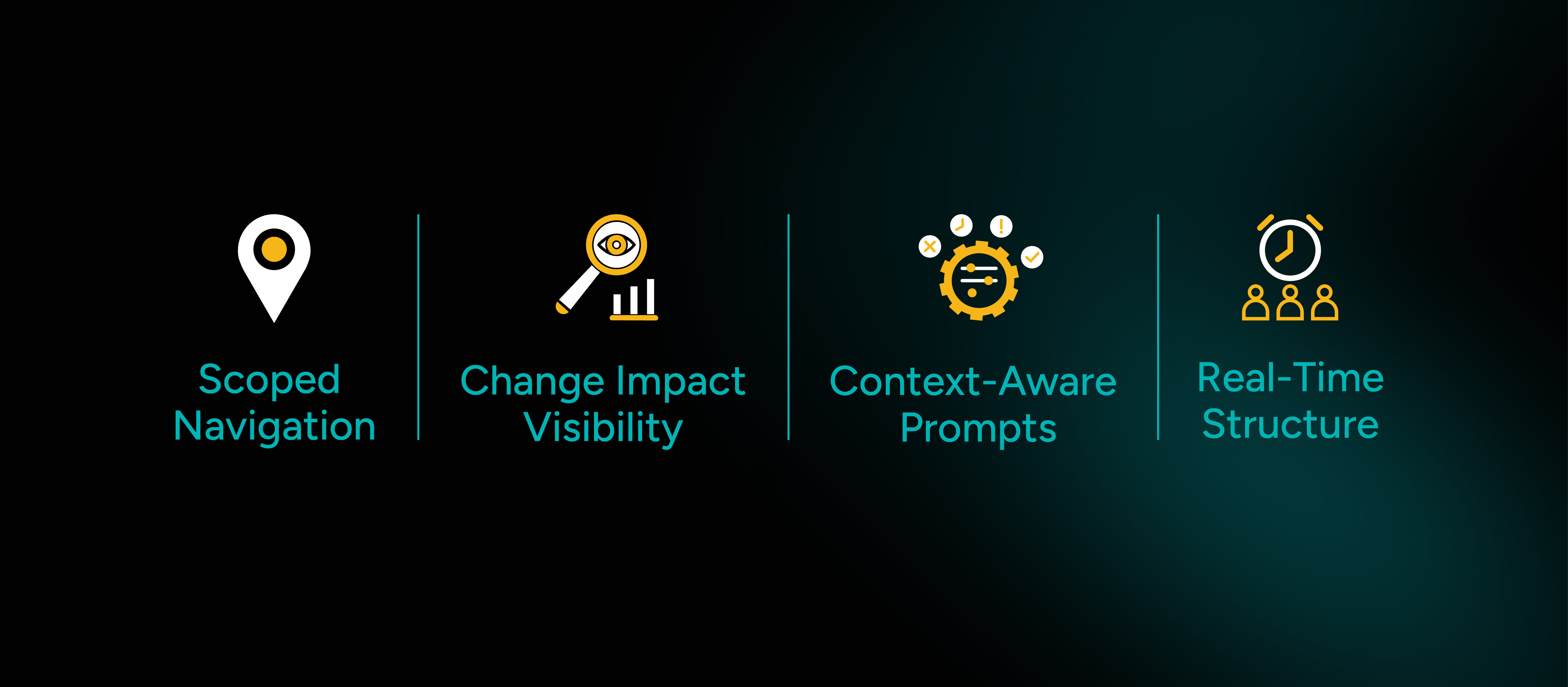
Here’s what improved across the team:
🔹 Scoped Navigation
No more opening a file and hoping it’s the right one.
Workspace Context highlights everything connected, related models, services, endpoints, and logic flow instantly.
🔹 Context-Aware Prompts
Suggestions don’t just match the framework they align with how the system is already built. Codespell understands the architectural context, devs stop wasting time cleaning up generic AI output.
🔹 Change Impact Visibility
Before touching a shared utility, Workspace Context reveals where else it's used reducing unintended side effects and rework in PRs.
🔹 Real-Time Structure
Instead of dumping code across the repo, every new addition lands where it should based on routing, state, folder structure, and naming conventions.
Workspace Context didn’t eliminate complexity.
It simply stopped hiding it.
With Codespell embedded into the development environment, developers shipped faster, not because the tickets were clearer, but because they could see where their work fit into the bigger picture.
It became easier to reuse logic instead of rewriting it.
Easier to onboard without relying on outdated walkthroughs.
Easier to make safe changes in risky parts of the codebase.
And perhaps most importantly, it removed the need for constant second-guessing.
The next vague ticket still showed up.
But this time, we didn’t start with a search bar, a dozen open tabs, or yet another Slack thread that ends in a long scroll and no clear answer.
We started with clarity.
Because when Codespell gives you context, the work speaks for itself.
Most development delays are not caused by vague requirements.
They happen when developers lack the context needed to understand a complex codebase.
The challenge is not writing code. It is knowing where to write it, what depends on it, and how a change impacts the rest of the system.
That is where Codespell makes a difference.
By combining a powerful codebase explorer with an intelligent ai code assistant, Codespell helps teams navigate large applications with confidence. Developers spend less time searching, second-guessing, and retracing steps, and more time building features that matter.
The result is faster delivery, fewer errors, smoother onboarding, and better collaboration across the entire development lifecycle.
If your team spends more time understanding the codebase than improving it, it may be time for a different approach.
Book a demo today and see how CodeSpell's Workspace Context helps developers move from confusion to clarity faster.



July 1, 2026
Don’t Miss Out
We share cool stuff about coding, AI, and making dev life easier.
Hop on the list - we’ll keep it chill.

© 2026, SoftSpell. All Rights Reserved


