How AI Coding Assistant Copilot Handles Large-Scale Codebases

AI Code

April 20, 2026

TL;DR

Standard AI coding assistants focus on individual developers, not enterprise-scale complexity

Large codebases need more than autocomplete. They need dependency management, legacy refactoring, test automation, and full SDLC support

AI coding assistants reduce manual effort, enforce consistency, and speed up delivery across large teams

Modernizing legacy systems carries a high risk. AI helps you move step by step with less disruption

Enterprise teams need an AI platform that supports the full development lifecycle, from requirements to deployment

What happens when a tool built for one developer lands in the hands of a team of 200 managing a ten-year-old codebase?

Enterprise codebases are not just large. They are complex, connected, and often lack clear documentation. Every change brings risk. Every release forces you to balance speed and stability. Standard AI coding copilots do not handle this well.

This blog explains how the right AI coding assistant copilot handles large-scale codebases. It helps you manage legacy complexity, automate testing, generate documentation, and keep your teams aligned. This helps you move faster without breaking things.

How Do AI Coding Assistants Handle Large-Scale Codebases?

Large codebases are not just small ones that grew over time. They create a very different kind of problem.

A 15-year-old enterprise system can have thousands of connected services. It may include logic with no documentation, written by engineers who have already left. No single person understands the system from start to end. Standard AI tools fail in this case. 

Here is what enterprise AI coding assistants need to handle in a different way:

  • Context at scale: They understand dependencies across hundreds of files, not just the file you open
  • Domain-aware suggestions: They generate code that fits your architecture, not generic patterns from public sources
  • Cross-team consistency: They maintain standards across 50 to 500 engineers at the same time.
  • Legacy awareness: They read and understand old or undocumented code without making incorrect assumptions

Complex Dependency Management

In large systems, nothing works alone. A change in one service can affect others. A small code update can break an API without warning.

AI coding assistants help you by:

  • Mapping service-to-service dependencies before you make a change
  • Flagging components that a change may affect when you edit shared modules
  • Suggesting updates that match your existing architecture patterns
  • Reducing the mental load on senior engineers who usually carry this knowledge

Legacy Code Refactoring

Legacy code holds important business logic. It was written in a different time, by engineers who may not be around. Manual refactoring takes time, adds risk, and costs more. 

AI-assisted refactoring changes this.

  • AI can read and understand undocumented legacy code. It shows what the code does before you change it.
  • It finds safe refactoring paths. It helps you move in small steps instead of doing everything at once.
  • It flags dependencies that can break if you change or remove a module.
  • It generates updated code that follows modern standards while keeping the business logic intact.

Test Automation and Quality Assurance

Manual testing slows down delivery in enterprise teams. Teams also skip it when deadlines get tight. This creates more technical debt and slows down the next release.

AI coding assistants reduce this problem by

  • Automatically creating unit and integration tests from existing code
  • Creating tests based on requirements, not just implementation details
  • Finding gaps in legacy modules that do not have test coverage
  • Flagging regression risks when you change shared components

Code Generation and Documentation

Two tasks take up a lot of time in large engineering teams. Writing boilerplate code and keeping documentation updated.

AI coding assistants help with both:

  • They create consistent code that follows team standards. This reduces style differences and review time.
  • They create and update documentation from code. This keeps it accurate instead of outdated.
  • They give new engineers a clear view of the codebase instead of a long discovery process.

Real Time Collaboration and Team Efficiency

Large teams do not only face tool issues. They also face coordination challenges. Different engineers understand requirements in different ways.

AI coding assistants improve team efficiency by:
  • Providing consistent and real-time guidance based on team standards, no matter who writes the code
  • Reducing review cycles by catching issues before a human review
  • Showing relevant context to engineers working on new parts of the codebase
  • Closing the gap between business requirements and what engineering teams build

Why Are AI Coding Assistant Copilots Crucial for Enterprise Environments?

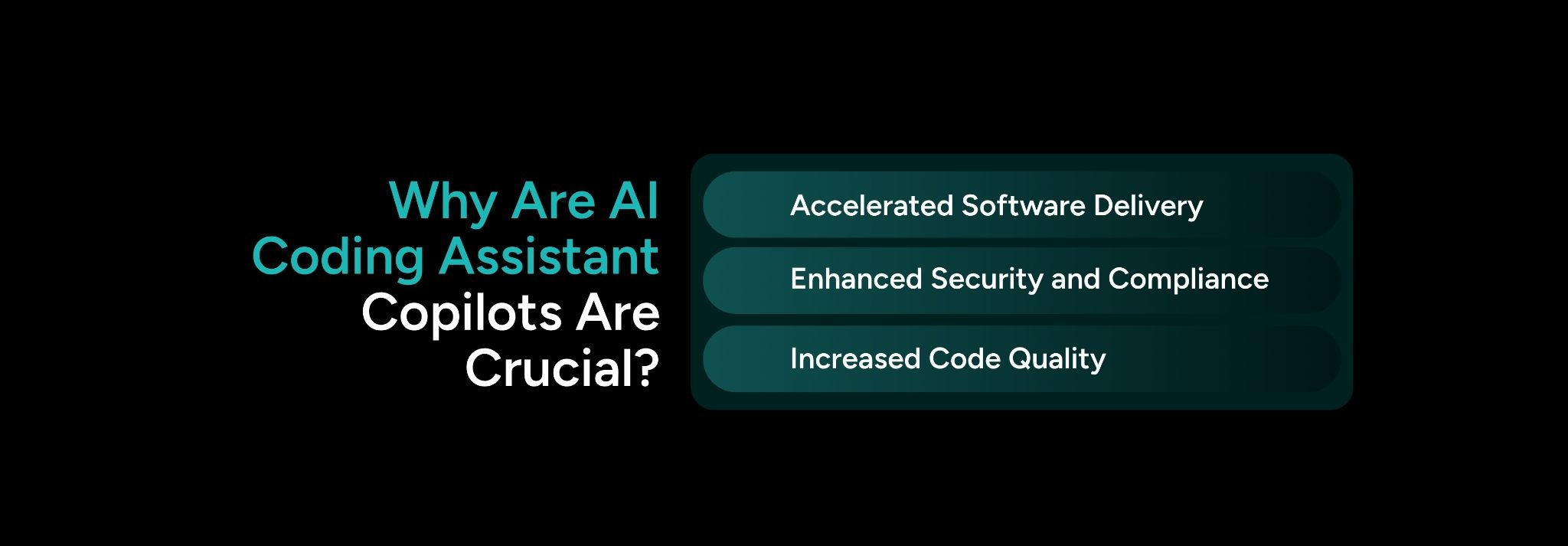
AI coding assistant copilots are crucial for faster software delivery, improved code quality, and stronger security and compliance.

Accelerated Software Delivery

Enterprise engineering teams do not fail because of a lack of skill or effort. They slow down because of unclear requirements, missing documentation, manual testing, and disconnected tools.

AI coding assistants reduce this friction at every stage. They help you turn requirements into code with fewer errors. They help you write tests along with features, not after. They keep documentation up to date. This leads to faster delivery from idea to production.

Increased Code Quality

In large teams, inconsistency reduces code quality. Different engineers solve the same problem in different ways, which creates bugs and technical debt.

AI coding assistants bring consistency. They apply the same standards across all code. They catch common errors early. They also flag deviations in real time. Think about how much cleaner your code becomes when every output follows the same standard.

Enhanced Security and Compliance

Security is essential in regulated industries. AI coding assistants help you catch insecure code patterns during development. They enforce coding standards and keep clear traceability between requirements, code, and tests. This helps you fix issues early and maintain compliance.
What Are the Challenges Enterprises Face When Modernizing Legacy Code?

  • Risk of System Downtime: Traditional approaches force you to choose between a disruptive full rewrite or a delayed migration. Both options carry serious risk. One affects system stability, and the other affects business growth.
  • AI-assisted modernization gives you a better path. You can improve your system step by step. You see risks early and validate changes before release.
  • Skills Gap: Many legacy systems use older tools that your current team may not know well. AI coding assistants help you understand legacy code in simple terms. They also generate modern versions and help your team contribute safely.
  • Difficulty in Maintaining Business Continuity: You need to keep your business running while you modernize. This creates pressure. AI helps you move step by step and validate each change without disruption.

CodeSpell by SoftSpell: AI-Powered Coding Built for Enterprise Teams

SoftSpell accelerating SDLC by about 40 percent while reducing defects by 70 percent through AI-driven development automation.

CodeSpell is SoftSpell’s AI coding assistant platform built for enterprise teams. It helps you speed up development while maintaining consistency, quality, and governance across your team.

It goes beyond simple autocomplete and supports the full coding lifecycle:

  • Code Generation: It creates basic code structures and handles repetitive setup. This lets you focus on logic instead of boilerplate.
  • Code Documentation: It generates clear and complete documentation automatically. This keeps your code easy to maintain without extra effort.
  • Code Explanation: It explains complex or legacy logic in simple language. This reduces the time you spend understanding existing code.
  • Code Optimization: It suggests improvements that boost performance and make code easier to read over time
  • Code Suggestions: It gives real-time suggestions based on context. This keeps your team consistent.
  • Unit Testing: It creates accurate unit tests to catch bugs early and validate features from the start

Design to Code: From Figma to Production

CodeSpell also connects design and development. You can convert Figma designs directly into React or Angular code. The output is production-ready, component reviewed, and scaffold complete.

  • It includes standard templates for CRUD operations and validation rules as pre-built features.
  • It supports real-time design collaboration with updates reflected in code
  • It speeds up frontend delivery and reduces back and forth between design and engineering

CodeSpell turns faster development into a team-wide advantage, not just an individual gain.
Conclusion

Think about the value you unlock when you remove the gap between business needs and engineering output.

The solution to legacy complexity, slow delivery, scattered tools, and modernization risk is not a better autocomplete tool. You need an AI platform that understands the full scope of enterprise software development. It supports dependency management, test automation, requirements traceability, and safe legacy transformation. 

The right AI coding assistant copilot connects your entire engineering workflow. SoftSpell is built for this scale. If your team wants to move faster with less risk, book a demo today.

Table of Contents

    FAQs

    1. Can AI coding assistants work effectively with undocumented code?
    Yes. AI coding assistants can study code structure and understand patterns. They explain what the code does even without documentation. This helps you a lot in legacy systems where documentation is missing or outdated.
    2. How do AI coding assistants handle compliance requirements in regulated industries?
    The best AI coding assistants help you follow coding standards and flag insecure patterns. They also keep clear links between requirements, code, and test coverage. This supports audits and compliance. You should choose a platform that treats traceability as a core feature.
    3. Will AI-generated code require as much review as human-written code?
    You still need reviews. But the focus changes. AI coding assistant tools handle style and common errors. Your team can focus on architecture and business logic. Over time, review cycles become shorter. Think about how much time you save when common issues get caught early.
    4. How long does it take to see ROI from an AI coding assistant?
    It depends on your biggest challenges. Teams with heavy manual testing see faster results. Teams with complex legacy systems see steady gains over time. Platforms like SoftSpell improve delivery speed, code quality, and reduce risk.
    5. Do AI coding assistants replace senior engineers?
    No. They reduce dependency on senior engineers. They make knowledge easier to access. This lets senior engineers focus on key decisions instead of repeating explanations.
    Blog Author Image
    Gautham

    AI-Native Product Strategist

    LinkedInBlog Social IconBlog Social IconBlog Share Link

    Don’t Miss Out
    We share cool stuff about coding, AI, and making dev life easier.
    Hop on the list - we’ll keep it chill.
