


Changelog
July 1, 2026
.svg)
.jpg)
While your team is manually translating design files into code, what are your competitors doing with that same hour?
A design gets marked as final. A developer opens it and starts interpreting it. A designer reviews the output and starts explaining again. The cycle continues across every sprint. You can see how this slows everything down.
The numbers show this clearly. 91% of developers and 92% of designers believe the handoff process needs improvement. This shows a widely accepted problem in the workflow.
This blog helps you evaluate your design-to-code AI tool. It also shows what truly matters and how you can choose a tool your team will trust and use.
The issue is not your team’s skill or effort. The real problem lies in the handoff process. This problem grows as your product expands.
The Handoff Problem Nobody Talks About
Teams mark design files as complete. But they often miss important details needed for implementation. Spacing, unnamed components, and missing states create gaps. Developers then fill these gaps on their own. Developers interpret unclear parts, and designers step in to fix them. Each round of explanation adds more time. This adds up across every screen and sprint
Manual Coding Is a Scaling Problem
Manual front-end work feels manageable when your product is small. As your product grows, the effort increases quickly. This impact often becomes clear only when speed drops.
Inconsistency Across Components Compounds Over Time
When you do not use a reliable design to code an AI tool, UI work starts to drift. Different developers build components in different ways. Over time, this becomes a technical debt issue, not just a visual one.
Not every design-to-code AI tool performs the same in real situations. You need to know what to check before you sit through a demo. This helps you shift your focus to what truly matters.
Design Fidelity Under Real Complexity
A UI design-to-code AI tool may handle a simple login screen well. But it may fail when you test it on a complex dashboard with many layers and states. That kind of tool will not work in real projects.
Stack Compatibility and Output Flexibility
If the generated code does not match your framework, it creates more work for your team. It does not help you save time.
Fast code generation does not help if your team cannot use or maintain the code. Your developers need to understand, extend, and fix the output.
AI-generated code that needs a lot of cleanup does not save time. It only shifts the problem to a later stage.
Design System Awareness
A design-to-code AI tool should follow your design system. If it ignores your system, it creates inconsistency instead of solving it.
Team Adoption on Both Sides
The best design-to-code AI tool is one that your designers and developers both use. If one group avoids it, the value drops quickly.
Security, Access Controls, and Compliance Readiness
Your design files contain important product data. You need to protect that data at all times. Understand where your data goes and how the tool stores it. Check who can access it. If your team works on unreleased features, this becomes very important.
Suggested Read: From Figma to React Code at Scale: How Codespell.ai Enables Production-Ready UI Delivery for Engineering Teams
Many teams fail during tool evaluation. They test tools in perfect conditions instead of real ones. You need a practical approach to get useful results.
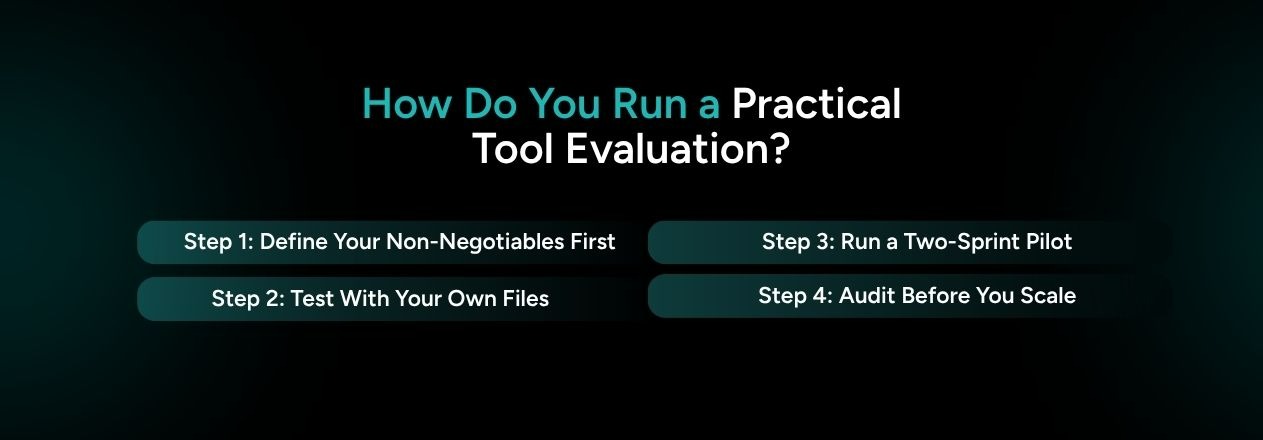
Step 1: Define Your Non-Negotiables First
Before you book any demo, write down your key requirements. This gives you a clear starting point.
List your technical needs clearly:
If a design-to-code AI tool cannot meet these needs, you should not shortlist it. A strong demo does not change this.
Step 2: Test With Your Own Files, Not Their Samples
Vendors often show their best examples. These do not reflect your real use case. You need to test with your own files.
Take a real screen from your product. Choose one with nested components, multiple states, and responsive behavior. Run it through the tool and review the output.
This last point matters the most. A design-to-code generator that needs hours of editing does not save time.
Step 3: Run a Two-Sprint Pilot With Your Actual Team
A single test shows what the tool can do. A two-sprint pilot shows how well it fits your team.
Use the tool in your real workflow. Set real deadlines and track what changes. What do you notice after using it for two sprints?
If your team does not move faster within two sprints, the tool does not fit your needs. Even a strong demo cannot change that.
Step 4: Audit the Output Before You Scale
Before you use the tool across your team, review the output carefully. You need to check what the tool actually produces.
Look at a sample of generated code and evaluate:
If you scale a weak output process, the problem grows over time. It does not fix itself. You should catch quality issues during the pilot stage. This saves time, effort, and cost later.

If you have reviewed the evaluation criteria above, you now understand what a reliable design to code AI tool should look like in real use. CodeSpell by SoftSpell meets that standard. It focuses on what your team actually needs.
CodeSpell does more than convert UI design into code. It supports your full development workflow.

Do you already use a tool that meets this level? The best design-to-code AI tool is not the one with the most features. It is the one your team uses, trusts, and builds into daily work across every sprint.
Every week without a reliable design to code AI tool adds more friction to your process. Your team spends more time on Figma handoff issues, UI rework, and repeated engineering tasks. These are problems you can solve early. The cost of choosing the wrong tool is real. Waiting also adds cost.
CodeSpell by SoftSpell supports teams that want to move past these challenges. If you are ready to move forward without handoff issues, the next step is a conversation.





July 1, 2026
Don’t Miss Out
We share cool stuff about coding, AI, and making dev life easier.
Hop on the list - we’ll keep it chill.

© 2026, SoftSpell. All Rights Reserved


