


Changelog
July 1, 2026
.svg)
.jpg)
What if your team could skip the most frustrating part of frontend development?
Right now, many enterprises lose time, money, and momentum because of manual frontend work. Long handoff times slow down every sprint. Inconsistent output leads to rework and delays.
About 82% of developers use AI tools to write code. Design-to-code software takes this further. It automates the full journey from design files to ready-to-use frontend code.
The result is faster delivery, fewer errors, and a workflow your team can enjoy. Designers and developers work better together. You can already see how this improves your process.
This blog explains how these two approaches compare. It also shows what this means for your team.
Manual frontend development has been the default for years. But as projects grow and timelines get tighter, their limits become clear.
Design-to-code software gives you a better way forward. Here is why.
1. Time Savings with Design to Code Software
Design-to-code platforms turn Figma and other design files into usable code. Your team does not need to recreate designs by hand. You move from a finished design to working frontend code much faster.
This helps you shorten your development cycle. You also get your product in front of users sooner.
2. Cost Efficiency with Design to Code
Design-to-code software handles the repeated parts of development. Your senior developers can focus on architecture, logic, and complex features.
This shift reduces total development time. It also helps you lower your project costs.
3. Collaboration Between Designers and Developers
One of the biggest challenges in frontend development comes from the gap between design and development. Designers create one thing, and developers build another.
The platform gives both teams a shared workspace. They also create one clear source of truth. Designers see their work turn into code as expected. Developers get clear and structured output that they can use right away. You can already see how this improves teamwork.
Suggested Read: Every Figma Handoff Feels Like Déjà Vu - Why Does It Still Suck?
4. Pixel Perfect Accuracy and Consistency
When developers write code from design files, small mistakes can happen. Design-to-code software removes this gap. It reads your design files carefully and creates code that matches the original design.
5. Ensuring Scalable and Clean Code
As your product grows, your codebase should grow in a clean and organized way. Design-to-code platforms create clean and modular code from the start. Each component follows a consistent structure.
This makes it easier to add new screens. It also helps you update existing ones and maintain quality across a large product without adding technical debt.
6. Built-in Responsiveness for All Devices
Making a UI work on all screen sizes takes a lot of time in manual frontend development.
Modern design to code AI tools that handle this for you. They create responsive layouts using flexible systems that adjust to any screen size. Your UI works across devices without extra effort from your team.
Understanding the limits of manual frontend development helps you see the full picture. These challenges slow your team down and increase costs.
Without version control, shared component libraries, and clear naming rules, projects become messy. Teams maintain different versions of the same elements. Over time, inconsistencies grow across the product.
So, what does it look like when a design-to-code software steps in and solves these problems?
1. Automation of Repetitive Tasks
Design-to-code platforms take your Figma or Sketch files and turn them into ready-to-use code. Your developers get structured and clean code that they can use right away.
This removes repeated tasks from their workload. They can then focus on building features, improving performance, and solving real problems.
2. Accurate Translations of Designs
The tool carries every font, spacing value, color, and layout detail from your design into the code. It keeps everything accurate. Nothing gets lost during the process. Nothing gets guessed or adjusted.
3. Enhanced Collaboration in Real Time
Design to code platforms bring designers and developers into the same workflow. Both teams can view, comment, and work on the project at the same time.
When designers make changes, developers see them right away. This keeps everyone aligned and reduces confusion. You can already see how this improves team coordination.
4. Easier Scaling for Large Projects
As your project grows, UI design-to-code platforms grow with it. They create consistent and modular components across your product.
Your design system stays organized. Your codebase stays clean. You can add new screens or features without starting from scratch each time.
Not every platform will fit your team. You should know what to check before you decide.
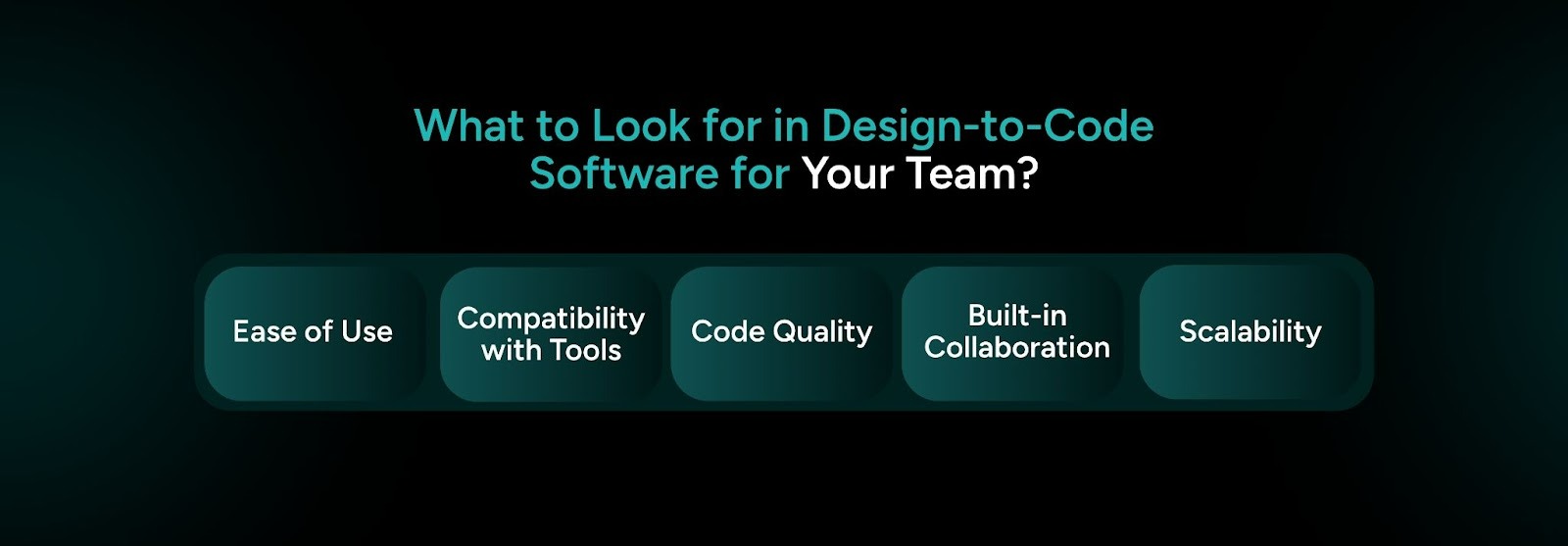
1. Ease of Use for All Team Members
Your designers should use the tool easily without learning code. Your developers should work with the output without changing how they code.
Look for tools with visual editors and simple interfaces. A platform that works for product managers and junior designers will see better use across your team.
2. Compatibility with Existing Tools
Make sure the platform works with the tools your team already uses. Support for Figma is a strong starting point. Support for frameworks like React or Vue also matters for development.
3. Quality of Generated Code
The platform should create clean and usable code. You should test this before you commit.
If the output contains inline styles, too many nested elements, or heavy markup, it will add more work for your developers. It will not save time.
4. Built-in Collaboration Features
Your team needs features like real-time editing, version history, and comments within the tool. These features help designers and developers stay aligned during the project.
You should also look for role-based access control if your team works with multiple clients or handles different parts of a product. A shared workspace works better than a shared folder. You can already see how this improves coordination.
5. Scalability and Budget Friendliness
Choose a platform that fits your team today and supports your growth later. A small team may not need a large plan, but you should avoid tools that you outgrow too soon.
Use free trials to test the platform. Try it on a real project before you sign a long contract. The right tool will show its value quickly.
Suggested Read: Evaluating the Best Design to Code AI Tools for Software Development

CodeSpell from SoftSpell is advanced design-to-code software built for teams that want to move faster without cutting corners. It takes your Figma designs and turns them into clean and ready-to-use React, Angular, or React Native code. You choose your components and set your styling framework. Then you export structured code in minutes.
Here is what makes CodeSpell stand out:
CodeSpell does more than automate your front end. It speeds up your full development workflow from design to deployment.

Design-to-code software is more than a productivity tool. It changes how enterprise teams build frontend products. It removes friction between designers and developers. It also reduces errors that come from manual work. Your team gains the speed and consistency needed to stay competitive.
Manual frontend development worked well when projects were smaller. It also worked when timelines were flexible. Today, product development moves faster and demands better methods.
If you want faster delivery, cleaner code, and a smoother handoff experience, automation helps you get there. The right design to code software gives your enterprise a strong base. You can build better products at scale without overloading your team. You can already see how this improves your workflow.





July 1, 2026
Don’t Miss Out
We share cool stuff about coding, AI, and making dev life easier.
Hop on the list - we’ll keep it chill.

© 2026, SoftSpell. All Rights Reserved


