Looking for GitHub Copilot alternatives that go beyond code completion?
As AI becomes central to modern software delivery, you now expect more than smart autocomplete. You need AI that supports the full Software Development Lifecycle. It should cover requirements, testing, infrastructure, and governance.
GitHub Copilot leads in code generation and in editor productivity. Still, many teams explore GitHub Copilot alternatives that offerstronger test tracking and structured SDLC support.
So where should you focus?
Here, we compare SoftSpell and GitHub Copilot across automation, testing, infrastructure, security, and productivity to help you choose the right fit for your SDLC needs.
SoftSpell vs GitHub Copilot: Choosing the Right AI for Your SDLC
Here’s a full SDLC AI comparison of SoftSpell vs GitHub Copilot.
Category
SoftSpell
GitHub Copilot
Product Positioning & Market Fit
SDLC automation
Coding assistant
Design to code
Code generation
Data Security, Privacy & Governance
Enterprise controls
Cloud-first
Testing Automation & Quality Engineering
Generates API test scripts from Swagger/OpenAPI and natural language
Can assist via prompts to write tests, though not specialized for APIs
API + unit tests
Prompt-driven test generation support
Maintains API/UI tests through SDLC
Detects regressions and automatically regenerates broken test cases.
Limited
AI extracts and maps requirements from docs, specs, or emails
Links to test cases and highlights coverage gaps.
Can infer requirements contextually from comments/issues.
Lacks traceability.
Cloud, Infra & Operations
Design-to-infra
Supports Terraform via general prompts
UI/UX & Design Handoff
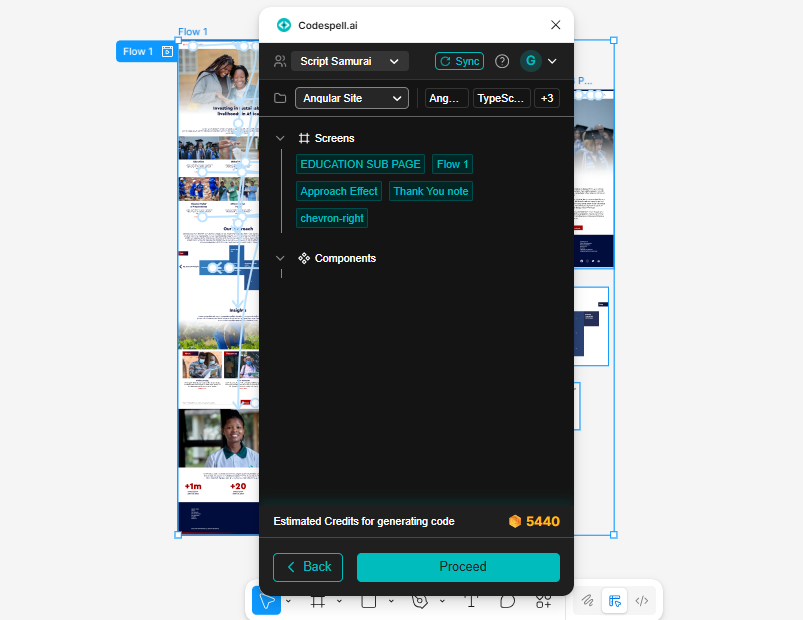
Plugin to take Figma designs and output clean frontend code
NA
Code Intelligence & Developer Productivity
Inline spells, refactor, cleanup suggestions
Autocomplete
Natural-language to code
Multi-LLM backend
Some contextual workflows
Not explicitly multi-file automated
Multi-file automation with contextual repo reasoning
Partial
Full workspace-level agent with bulk refactors
Structured task execution
Devs + QA + PMs + Ops
Dev-only
Logs-to-fix automation
Suggests fixes only
Data Security, Privacy & Governance
Enforces internal rules via inline “spells” and workflows
Customizations via “Awesome Copilot” for org prompts/standards
Org rule engine (secure coding enforced)
Security via GitHub Advanced Security add-on
Map the created rule → enforced
NA
Keeps org-specific keywords, acronyms
NA
Knowledge, Search & Graph Capabilities
Yes – visual dependency and workflow graph for SDLC and test coverage mapping
NA
1. Product Positioning and Market Fit
SoftSpell focuses strongly on SDLC automation. It streamlines your entire software development lifecycle. It helps you improve productivity and maintain consistency. It does this by optimizing key tasks across every development stage.
SoftSpell offers these features.
Legacy Code Analysis: It reverse engineers your codebase and maps modules and dependencies clearly.
Design to Code: It converts Figma designs into production-ready React or Angular code.
Boilerplate Generation: It provides pre-built templates for CRUD operations and reduces repetitive coding.
GitHub Copilot focuses mainly on code generation. It gives you AI-assisted code completion directly inside your editor. Many teams rate their market fit highly. It works well when you want fast and streamlined coding support. Its features include:
Contextual Code Suggestions: It completes code based on natural language prompts.
Collaborative Agents: It writes code, creates pull requests, and responds to feedback automatically.
Integration: It works across GitHub, terminal workflows, and IDEs to support smooth development.
Which Tool Should You Go For?
Codespell gives your team a strong solution to improve and automate SDLC workflows end-to-end.
GitHub Copilot works well for teams looking to scale coding efforts with intelligent in-editor automation.
2. Data Security, Privacy, and Governance
SoftSpell gives you strong data security and governance features built for enterprises. It helps you protect sensitive data and maintain control across your teams. SoftSpell includes:
Org Rule Engine: It enforces secure coding practices across your organization and keeps standards consistent.
Inline Spells and Workflows: It optimizes processes and ensures your teams follow internal rules.
Org Specific Keywords and Acronyms: It protects sensitive terms and keeps them consistent across projects.
Enterprise Controls: It gives you full oversight and better management for large teams.
GitHub Copilot follows a cloud-first approach and supports security through:
Customizations via Awesome Copilot: It lets you tailor prompts and standards to match your organizational needs.
GitHub Advanced Security Add-On: It strengthens monitoring and supports compliance with advanced security features.
Which Tool Should You Go For?
SoftSpell works well for large enterprises that require strict internal rule enforcement and secure coding practices.
GitHub Copilot suits teams seeking cloud-based code generation with flexible security configurations.
3. Testing Automation and Quality Engineering
SoftSpell automates testing and supports high quality engineering. It helps you maintain strong coverage across your development process. SoftSpell offers:
API Test Generation: It generates API test scripts automatically from Swagger, OpenAPI, and natural language inputs.
API and Unit Tests: It supports both API and unit tests. This ensures complete and reliable coverage.
Maintaining Tests Across SDLC: It tracks API and UI tests across the SDLC. It detects regressions early and regenerates broken test cases automatically.
Requirement Mapping: Its AI extracts and maps requirements from documents, specifications, or emails. It links them to test cases and highlights coverage gaps clearly.
You gain better visibility into your testing efforts and stronger quality control.
GitHub Copilot supports test generation through prompts, but it has some limits:
Test Generation Assistance: It helps you write tests based on prompts. However, it does not focus deeply on APIs.
Prompt Driven Test Generation: It lets you create test cases quickly. It depends on the input you provide.
Requirement Inference: It can infer requirements from comments or issues. Still, it does not offer full traceability or deep coverage.
Which Tool Should You Go For?
SoftSpell works best for teams that require deep, integrated test automation across the SDLC.
GitHub Copilot suits teams looking for basic test generation support within their existing development workflow.
4. Cloud, Infra & Operations
SoftSpell supports infrastructure workflows with clear and structured automation. It generates Terraform directly from diagrams or design inputs.
You can move from architecture design to infrastructure code without rewriting anything manually. The process stays aligned and consistent with the planned system design.
GitHub Copilot supports Terraform creation through general prompts. It helps you write infrastructure code, but it does not focus on design to infra automation.
Which Tool Should You Go For?
SoftSpell suits teams that want structured infrastructure generation tightly connected to system design artifacts.
GitHub Copilot works for teams seeking flexible, prompt-based infrastructure support directly inside the editor.
5. UI/UX & Design Handoff
SoftSpell connects design and development in a direct way. It converts Figma designs into clean frontend code. This reduces manual work when you move from design files to pre-built production-ready code. It keeps your design intent aligned with the final implementation.
GitHub Copilot does not offer a dedicated design-to-code or Figma integration workflow.
Which Tool Should You Go For?
SoftSpell works well for teams aiming to accelerate design-to-code transitions with minimal rework.
GitHub Copilot does not focus on structured design handoff automation.
6. Code Intelligence & Developer Productivity
SoftSpell improves productivity in a structured way across different roles.
Inline Spells: You can use commands like /optimize and /unit to refactor and clean up code directly inside your workflow.
Contextual Workflows: It supports context aware actions, but it does not fully automate changes across many files.
Logs to Fix Automation: It connects runtime logs to suggested fixes so you can act faster.
Role Coverage: It supports Developers, QA, PMs, and Ops.
Scope: It offers partial automation with guided workflows.
GitHub Copilot focuses on code generation and deep repository understanding.
Autocomplete and Natural Language to Code: It generates code using a multi-LLM backend.
Multi-File Automation: It studies the repository context and supports broader changes.
Workspace Level Agent: It helps you run bulk refactors and structured tasks.
Scope: It focuses only on developers.
Fix Support: It suggests fixes but does not automate full resolution workflows.
Which Tool Should You Go For?
SoftSpell suits cross-functional teams seeking workflow-driven automation that extends beyond coding.
GitHub Copilot works best for developers looking for advanced in-editor code generation.
7. Data Security, Privacy & Governance
SoftSpell builds governance directly into your development workflows.
Org Rule Engine: It enforces secure coding practices inside your process.
Rule Mapping: It makes sure your created rules stay active and enforced.
Org Specific Keywords: It protects your internal acronyms and terminology.
It integrates security into daily workflows instead of treating it as an add on layer.
GitHub’s advanced security addon provides security controls as an extra layer. Security features depend on the broader GitHub ecosystem.
Which Tool Should You Go For?
SoftSpell works well for enterprises that require embedded secure coding enforcement aligned with internal standards.
GitHub Copilot suits teams operating within the GitHub ecosystem for extended security controls.
Conclusion
We walked through a detailed and complete SDLC AI comparison between SoftSpell and GitHub Copilot. We went beyond simple autocomplete. We explored testing automation, design-to-code, infrastructure generation, governance, and cross-functional workflows.
GitHub Copilot works well when you need fast coding inside your editor. However, many teams that look for GitHub Copilot alternatives want deeper SDLC automation and stronger structured control. You may also want more than just code suggestions.
If your goal is to streamline requirements, testing, infrastructure, and secure coding in one unified flow, you should explore SoftSpell. Book a demo and see how it supports your entire SDLC from start to finish.
1. What is the main difference between SoftSpell and GitHub Copilot?
SoftSpell automates the entire SDLC. It goes beyond writing code. It connects requirements, testing, infrastructure, and governance in one clear and structured flow. In contrast, GitHub Copilot mainly focuses on code generation and improving productivity inside your editor.
2. Is SoftSpell a better GitHub Copilot alternative for enterprises?
SoftSpell works well for enterprises that need strong governance and rule enforcement. It builds security, traceability, and workflow optimizaion directly into your SDLC. On the other hand, GitHub Copilot fits teams that mainly want faster coding support.
3. Can GitHub Copilot handle full SDLC automation?
GitHub Copilot supports coding, refactoring, and multi-file reasoning. However, it does not provide structured automation across the entire SDLC. It does not manage requirement mapping or deep test traceability. Its strength remains focused on developer tasks.
4. Which tool is better for automated testing?
SoftSpell delivers a structured API and unit test generation with requirement mapping. It maintains tests and regenerates broken cases automatically. GitHub Copilot helps with writing tests, but it does not provide deep traceability.
5. Does SoftSpell replace GitHub Copilot?
They serve different purposes. SoftSpell supports SDLC workflows beyond code typing. GitHub Copilot improves coding speed inside your development environment.
Market researcher at SoftSpell, uncovering insights at the intersection of product, users, and market trends. Sharing perspectives on research-driven strategy, SaaS growth, and what’s shaping the future of tech.


.svg)
.jpg)