


Changelog
July 1, 2026
.svg)
AI tools eliminate the manual translation layer between Figma designs and production code, automating responsive output, differential updates, and backend scaffolding. Teams move faster, ship cleaner code, and significantly reduce rework. SoftSpell's CodeSpell delivers this end-to-end, not just at the UI layer.
Your Figma file is perfect. Your deadline isn't.
Every pixel is precise, every component named, every screen handed off, and yet your engineers are still 8–16 hours away from a single working screen. That's not a people problem. That's what happens when the most critical step in your product pipeline is still done by hand.
In 2027, manually translating Figma design to code is the silent killer of sprint velocity. Figma's own State of the Designer report confirms it: 92% of designers and 91% of developers agree that the Figma handoff is broken. And 66% of product teams are losing 25–50% of their time to it.
The solution isn’t in adding more process steps but in replacing manual work with automation. As we move into the next section, let's examine how AI tools now convert Figma designs to code—eliminating the translation layer entirely and producing production-ready code in minutes, not days.
Here's exactly why they're faster.
The 7 key reasons AI tools accelerate Figma-to-code conversion are:
Manual handoffs don't just slow teams down; they introduce compounding errors at every stage.
Here are seven specific reasons why AI-powered code completion tools convert Figma design to code faster, more accurately, and with far less friction than any manual process can match.
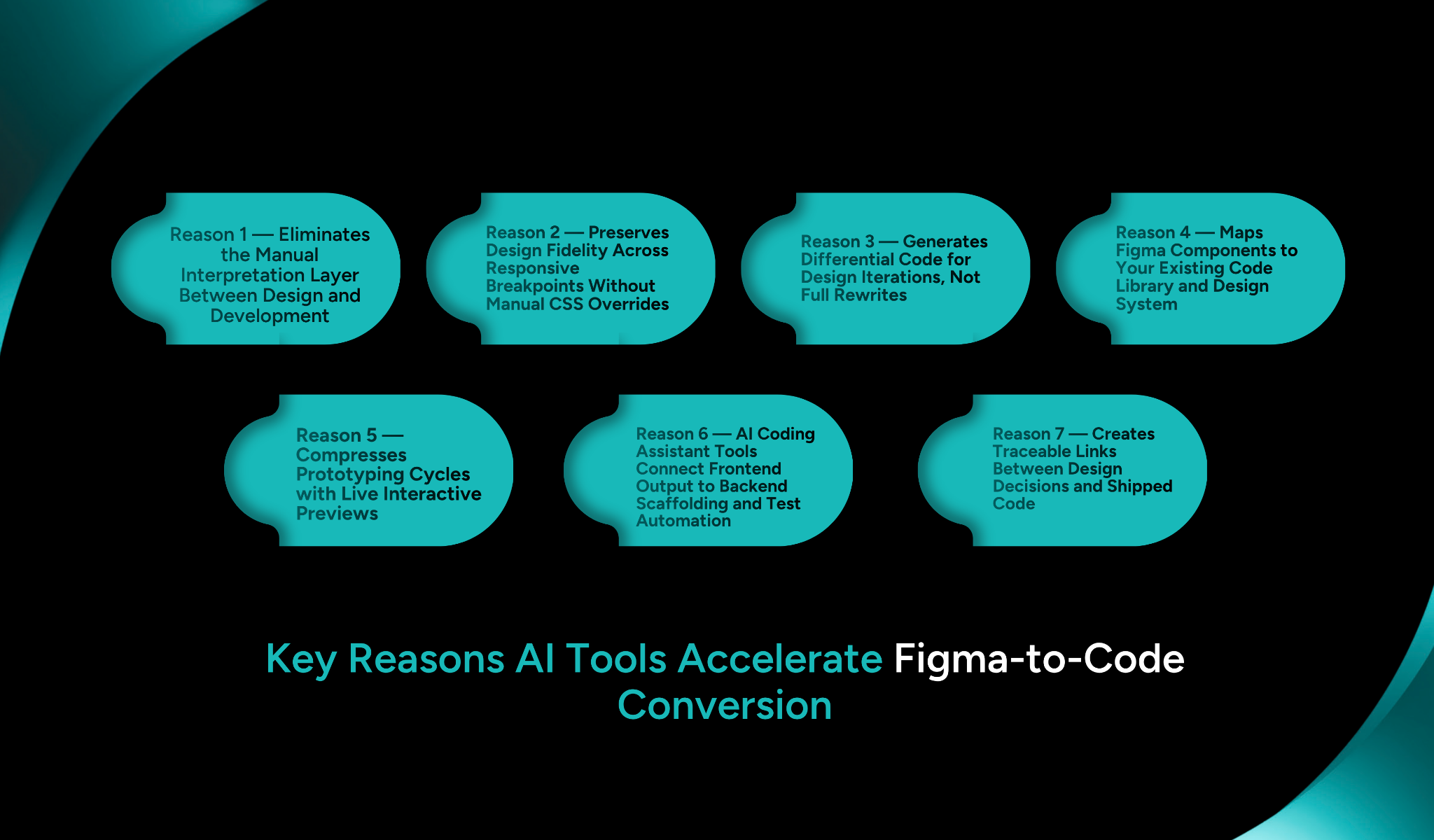
Reason 1 — Eliminates the Manual Interpretation Layer Between Design and Development
When a developer opens a Figma file without AI, they're not reading code; they're reading intent. They interpret layer names, infer spacing logic, guess at component behavior, and manually translate it all into markup. Every assumption is a potential revision cycle.
AI tools that convert Figma design to code don't interpret; they read directly from the source:
Reason 2 — Preserves Design Fidelity Across Responsive Breakpoints Without Manual CSS Overrides
Responsive behavior is where Figma-to-code fidelity typically collapses. A design looks perfect at 1440px. By the time a developer has manually written CSS for tablet and mobile breakpoints, the margins are off, the grid shifts, and design QA kicks off another round of corrections.
AI-powered Figma design to code generators read Figma's auto-layout logic and translate it directly into responsive behavior:
Reason 3 — Generates Differential Code for Design Iterations, Not Full Rewrites
Design doesn't freeze after the first handoff. Buttons get restyled, modals get restructured, and entire sections get reworked mid-sprint. In a manual workflow, every design change triggers a full revisit: recode, retest, repeat.
AI tools solve this with differential code generation; only what changed gets regenerated:

Reason 4 — Maps Figma Components to Your Existing Code Library and Design System
One of the most underappreciated problems in scaling frontend development is component sprawl: duplicate button styles, redundant modals, and conflicting CSS that accumulate from sprint to sprint. It happens when developers build from designs without a direct connection to the existing component library.
AI-powered conversion maps design components to your existing architecture, not around it:
Reason 5 — Compresses Prototyping Cycles with Live Interactive Previews
The traditional prototyping loop is predictable and slow: the designer hands off, the developer builds a rough prototype, stakeholders review, feedback loops, and repeat. Each cycle costs days. Multiply that across a roadmap, and weeks disappear before a single feature reaches a testable state.
AI tools break this loop by generating interactive previews directly from Figma, no static handoff required:
Reason 6 — Connect Frontend Output to Backend Scaffolding and Test Automation
Most AI coding assistant tools for converting Figma designs to code stop at the UI layer. The output looks right, but it's disconnected from your API layer, data models, and QA scripts. The bottleneck doesn't disappear; it moves downstream, where it costs even more time.
SoftSpell's CodeSpell is built to close that gap end-to-end:
This is where AI for converting Figma designs to code stops being a frontend convenience and becomes a full AI SDLC accelerator.
Reason 7 — Creates Traceable Links Between Design Decisions and Shipped Code
When something breaks in production, the first question is always the same: where did design intent diverge from implementation? In manual workflows, answering that means digging through Slack threads, Figma history, and pull requests often without a clear answer.
AI-powered conversion creates an auditable chain from design component to shipped code:
SoftSpell's CodeSpell isn't a standalone code generator; it's the engine that connects your design layer to your full development pipeline. Built specifically for engineering teams that can't afford manual translation, it brings intelligence to every stage of the Figma-to-code workflow.
Most Figma-to-code tools give you a UI output and leave the rest to your developers. The API wiring, the test scripts, and the design system alignment are still manual work. For enterprise engineering teams managing complex codebases and tight release cycles, that's not acceleration. That's just shifting the bottleneck.
CodeSpell is designed for teams that need the full chain automated, not just the frontend layer. Whether you're a CTO trying to reduce engineering overhead, a product manager pushing for faster iteration cycles, or a DevOps lead standardizing deployment pipelines, CodeSpell closes the gaps that other tools leave open.
CodeSpell's feature set is purpose-built around the specific failure points of design-to-development workflows:
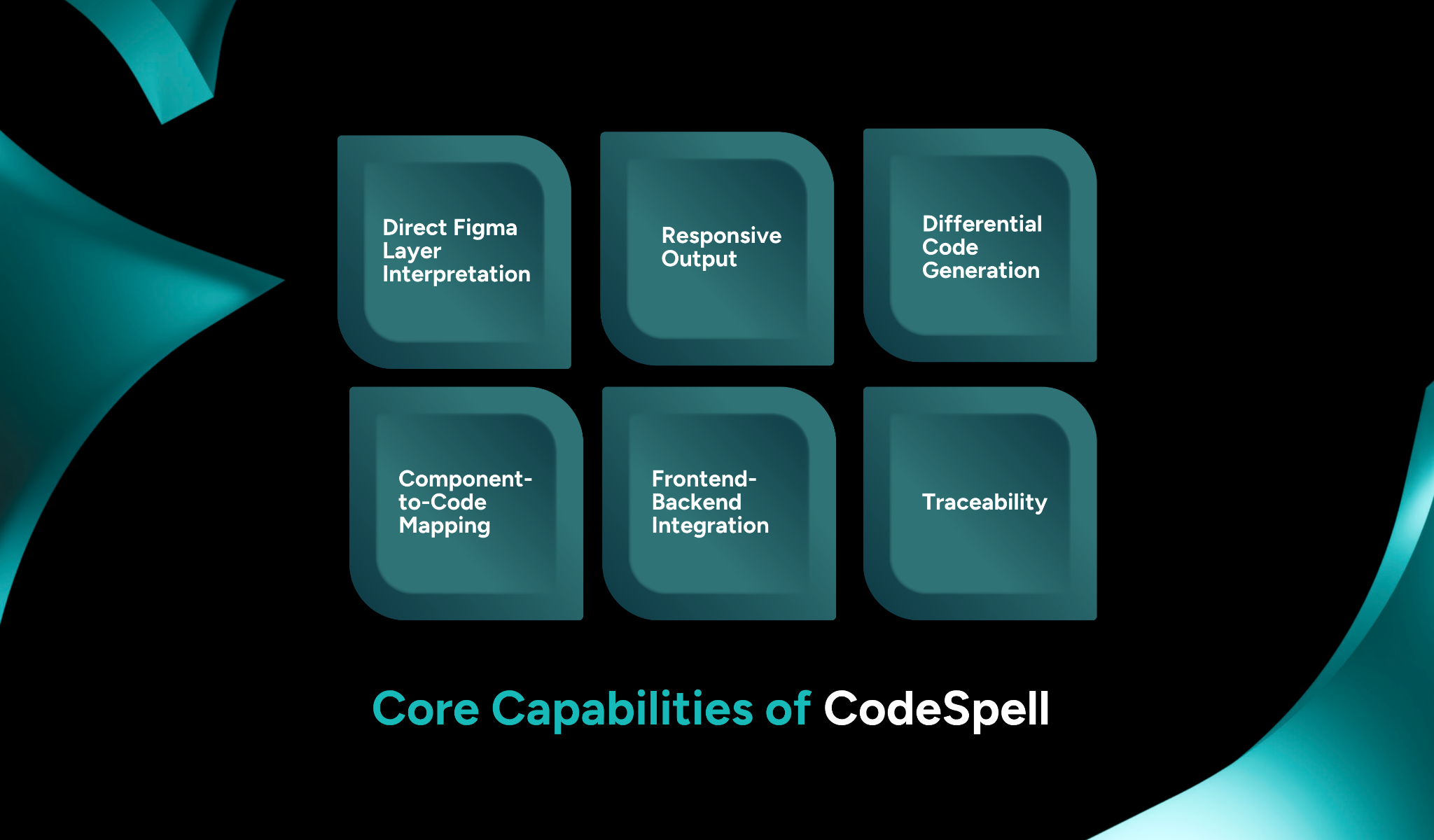
Benefits of CodeSpell for Design and Development Teams
CodeSpell's impact is measurable across every role in the product delivery chain:

The gap between a finished Figma file and production-ready code has never been a design problem. It's always been a process problem, one that manual workflows have never been equipped to solve at scale.
AI tools that convert Figma design to code don't just save hours. They eliminate the compounding cost of misaligned handoffs, redundant rework, and bottlenecks that quietly push every release date further out.
But not every tool closes the full loop. Most stop at the UI layer, leaving your team to handle the rest manually. That's a partial solution to a complete problem.
CodeSpell goes end-to-end, from Figma layer to responsive frontend, API scaffold, automated tests, and traceable code output. For engineering teams that need speed without sacrificing quality or governance, it's the most complete Figma-to-code solution available today.
Book a Demo and see what CodeSpell can do for your next sprint.




July 1, 2026
Don’t Miss Out
We share cool stuff about coding, AI, and making dev life easier.
Hop on the list - we’ll keep it chill.

© 2026, SoftSpell. All Rights Reserved


