How to Choose AI Software Development Tools for SDLC

AI SDLC

February 25, 2026

TL;DR

  • Why AI Matters:Faster development cycles, Cleaner code, Automated tasks, Smarter decisions, Balanced human oversight
  • Why AI Matters:Faster development cycles, Cleaner code, Automated tasks, Smarter decisions, Balanced human oversight
  • Why AI Matters:Faster development cycles, Cleaner code, Automated tasks, Smarter decisions, Balanced human oversight

Why Do AI Tools Matter in the SDLC?

AI tools add real value to your software development process. They help you work faster and smarter at every stage.

  • AI speeds up your development cycle. It automates tasks and gives you real-time feedback while you work. This helps you move forward without delays.
  • AI finds errors in your code and suggests improvements. You write cleaner and more reliable code with less effort.
  • AI handles routine tasks like testing, code review, and deployment. You save time and focus on more important work.
  • AI supports better decisions by using data and insights. It predicts issues and helps you improve workflows. 

Are you using AI to guide your development strategy in the right way? These benefits help you solve common business challenges.

  • Inefficient workflows
  • Long development cycles
  • Limited developer bandwidth
  • Difficulty using AI in a strategic way

AI should support your expertise, not replace it. You should use it to improve productivity, not to handle everything on its own.

Suggested Read: Engineering Velocity Starts Here: AI-Powered SDLC for Modern Enterprises 
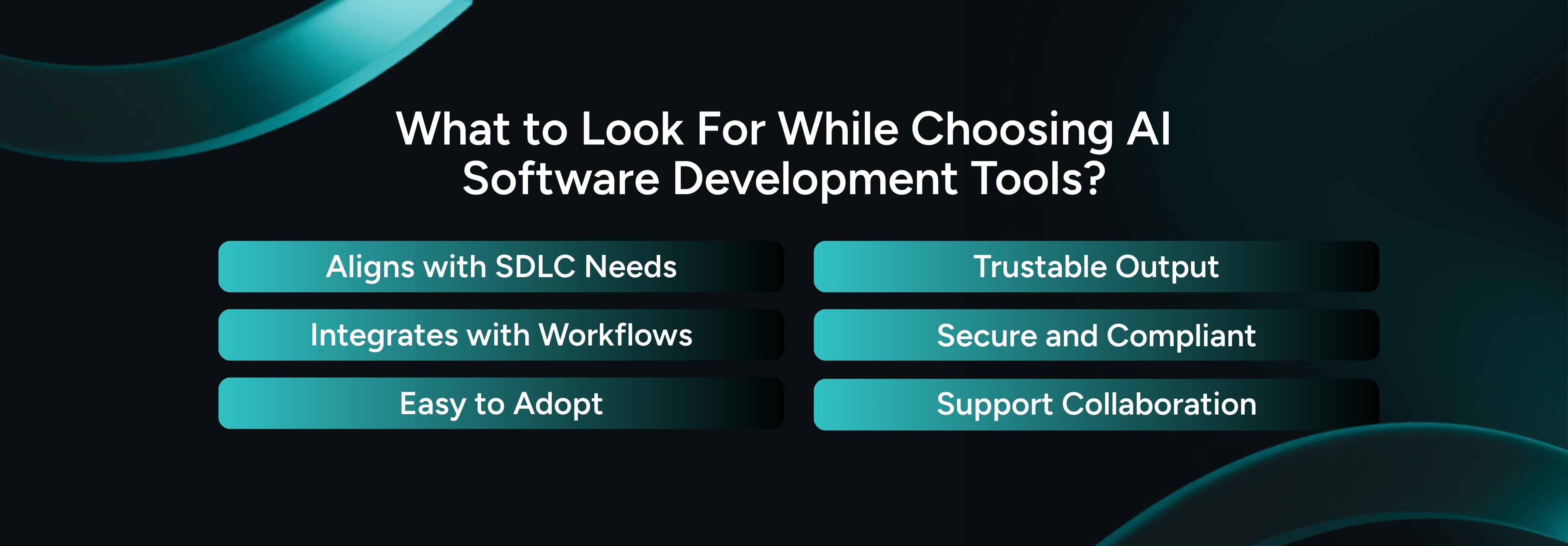
What to Look For While Choosing AI Software Development Tools?

What to Look For While Choosing AI Software Development Tools

When you choose AI tools for your SDLC, you make a decision that affects your efficiency and growth. It also impacts your long-term success. 

If you choose the wrong tool, you may waste resources and miss deadlines. It can also create delays in your development process. 

The right questions will guide you toward the best fit for your enterprise needs.

1. How Well Aligned Is the Tool With Your SDLC Needs?

Each stage of your SDLC needs different support. This includes planning, coding, testing, and deployment. Enterprises should always check how well the AI tool fits into their current workflow. 

You may want to improve planning. You may want to speed up coding or increase testing accuracy. When you identify where AI adds value, you can select the right tool with clarity.

📌 Look for these:
  • ➤ Does it solve your need at the right phase?
  • ➤ Does it address a bottleneck in your current workflow?
  • ➤ Will it improve velocity or code quality in areas that matter most?

2. Does It Integrate With Your Stack and Workflow?

Your AI tool should connect smoothly with your existing development stack. It should work well with your IDEs, version control systems, issue tracking tools, and CI or CD pipelines. 

If a tool does not integrate properly, it can slow your team down. You should choose a solution that strengthens your workflow instead of disrupting it.

📌 Look for these:
  • ➤ Does the tool offer plugins for your IDEs?
  • ➤ Can it integrate with your build and test pipelines?
  • ➤ Does it support the necessary API or data access needs?

3. How Easy Is It to Adopt Across Teams?

Your team must use the tool comfortably for it to deliver value. When your team gets started quickly, you see faster results. 

Look for tools that offer clear documentation and a simple interface. Avoid tools that demand heavy training or create friction in daily tasks.

📌 Consider these factors:
  • ➤ Does it require extensive training for developers to get started?
  • ➤ Is the UI intuitive? Will there be a learning curve?
  • ➤ How quickly can developers start using it daily with minimal friction?

4. Can You Trust Its Output?

AI-generated code may sometimes contain errors or inconsistencies. Developers often worry about incorrect or unpredictable results. 

You should confirm that the tool produces reliable and accurate output. Choose tools that support quality checks and allow easy verification of results.

📌 Look for these factors:
  • ➤ How do you manage the risk of verification debt?
  • ➤ What measures are in place to verify the quality?
  • ➤ Are there metrics or reliability tests to ensure consistency?

5. How Does It Handle Security and Compliance?

You must treat security and compliance as essential priorities. AI tools often access important data and system logs. If a tool lacks strong protection, you risk exposing sensitive information. 

You may also face legal or regulatory issues. Make sure the tool follows industry standards for security, privacy, and compliance.

📌 Look for these factors:
  • ➤ Strong access control features to protect sensitive data
  • ➤ Clear data privacy policies to safeguard your code and project data
  • ➤ Built-in compliance workflows for legal and regulatory standards
  • ➤ Comprehensive audit logs for governance and tracking

6. Does It Support Collaboration and Scalability?

Your AI tool should improve individual productivity and team collaboration. Look for features like shared insights and real-time collaboration. 

These features help your team stay aligned and informed. The tool should also grow with your team. It should handle larger projects as your enterprise expands.

📌 Look for these teamwork features:
  • ➤ Support for multi-user workflows and cross-team collaboration
  • ➤ A shared knowledge base for easy reference and learning
  • ➤ Comprehensive reports and analytics for performance tracking and insights

Common Mistakes You Should Avoid When Selecting AI Tools

When you select AI tools, you should stay aware of these mistakes. It can slow your progress and reduce the value you expect.

  1. Focusing on Just Hype or Brand Names

Popular AI-powered software development tools definitely look impressive. In reality, popularity does not guarantee the right fit for your SDLC. 

So, how should you choose a tool? Review the tool based on your specific needs and goals. Always choose what truly works for your team.

  1. Ignoring Integration

A tool may seem perfect at first glance. However, it can fail if it does not connect well with your existing tech stack. 

So, what to look for? You should make sure the tool fits smoothly into your environment.

  1. Skipping ROI and Success Metrics

You need clear return on investment and measurable success metrics. 

Without them, you cannot judge real value. Make sure you can measure progress clearly.

  1. No Governance Plan

When you use AI without a governance plan, you increase compliance risks and create confusion. You should set clear standards and protocols from the start. This keeps your operations organized and secure.

  1. Lack of Pilot Testing

Never launch a tool without testing it in real situations. Pilot projects help you measure effectiveness and fix issues early. This prepares you for smooth adoption across your organization.
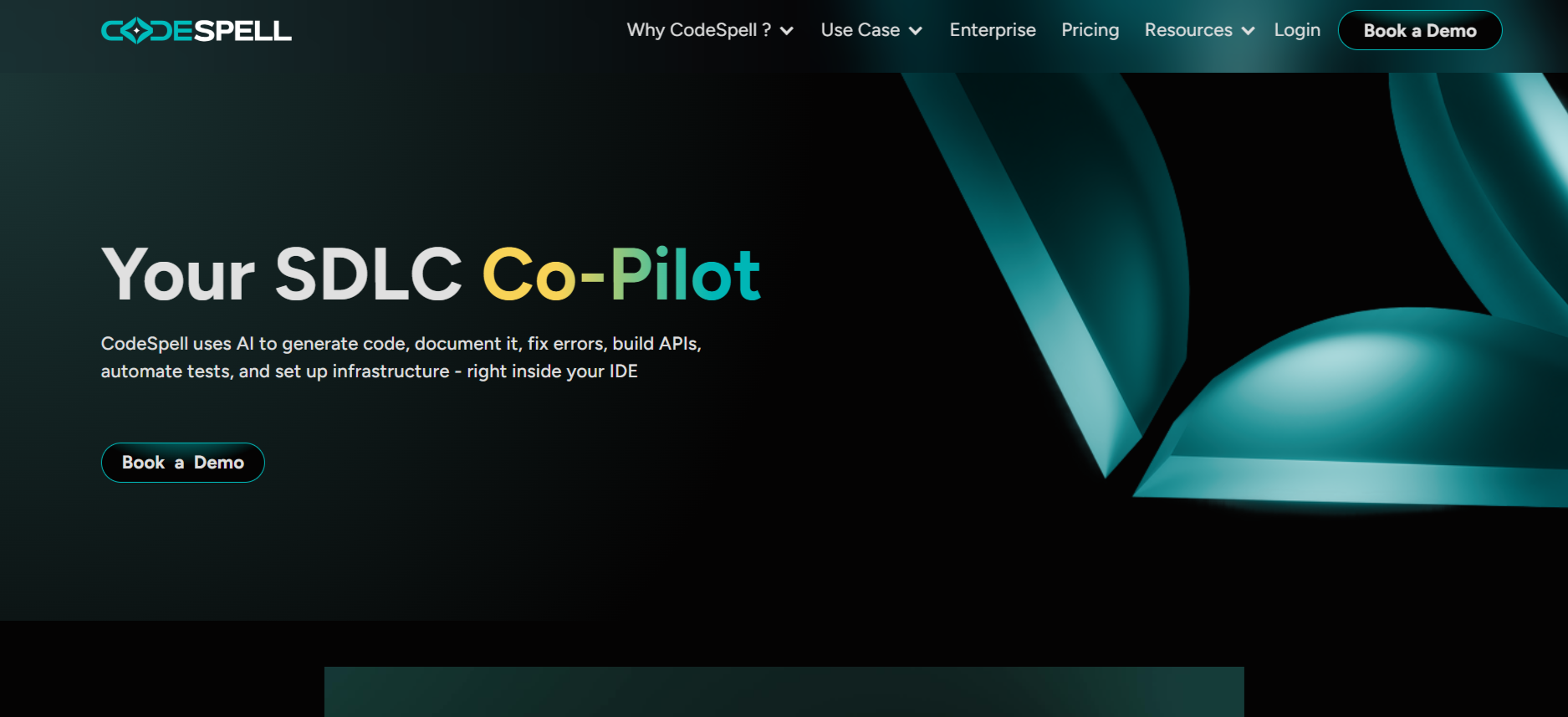
SoftSpell: Enterprise Level AI SDLC Copilot

SoftSpell using AI inside the IDE to generate, fix, and document code while reducing manual coding effort by up to 50 percent

SoftSpell works as a powerful enterprise AI tool for software development lifecycle management. It brings clear structure, better speed, and strong consistency to every stage of your development process. Because of this, you gain better control over your workflows. You also move ahead faster with a clear direction.

ReqSpell

ReqSpell improves the way you manage the journey from requirements to code. It removes manual work and reduces human errors. This saves you time and effort.

  • Reverse Engineering: ReqSpell carefully studies your legacy codebase. It identifies modules, dependencies, and functional scope. You get a clear understanding before development begins.
  • Test Coverage Validation: It links requirements with test plans. It highlights paths that you have not tested yet. You can close gaps early and prevent issues later.

Suggested Read: If Only ReqSpell Existed Before I Wrote 200 Pages of Specs 

CodeSpell

CodeSpell is more than a smart coding assistant. It turns your ideas into clear and structured designs. It generates APIs, microservices, and data models directly inside your IDE. This helps you move faster and write accurate code. Are you making the most of your coding time?

  • Figma to Production Ready Code: CodeSpell converts Figma designs into React or Angular code instantly. This reduces the time you spend moving from design to development.
  • Boilerplate Code Generation: It provides pre-built templates for CRUD operations and API endpoints. This removes repetitive coding tasks and saves your effort.
  • Code Optimization: CodeSpell improves your code with AI-powered suggestions. It enhances performance and improves readability.

TestSpell

TestSpell helps your team speed up testing while maintaining quality. It automates test case creation, execution, and reporting. This reduces manual effort and improves efficiency.
  • Test Case Generation: TestSpell converts requirements or JIRA inputs into detailed test cases instantly. You start with strong and complete coverage from the beginning.
  • Seamless Integrations: It connects easily with JIRA, Postman, and other testing platforms. This keeps your tools aligned. It also keeps your testing workflow smooth and organized.

Conclusion

In this blog, you explored why AI tools for software development matter in today’s SDLC. You saw how they help you move faster, improve code quality, and handle repetitive tasks with ease. You also learned how to choose the right tools for your team. 

Key factors include alignment with your SDLC, smooth integration, trust in output, strong security, and the ability to grow with your needs.

The right AI-powered tools for software development depend on your strategy, your process maturity, and the challenges you want to solve. You should treat AI adoption as an ongoing journey. It requires regular review and smart adjustments over time.
Table of Contents

    FAQ

    What types of AI tools can you use in software development?
    You can use tools for code generation, automated testing, bug detection, project management, and DevOps. These tools improve coding speed, raise code quality, and help you deliver faster.
    How do you measure the ROI of an AI development tool?
    You should track improvements in development speed, code quality, and reduced manual effort. Compare results before and after adoption. Look at cycle time, defect rates, and overall project cost savings.
    Can AI tools replace human developers in the SDLC?
    AI tools support developers, but they do not replace them. They handle repetitive tasks and provide useful insights. This allows you to focus on complex and creative work.
    How do you check if an AI tool fits your tech stack?
    Review how well the tool connects with your existing systems, such as IDEs, CI or CD pipelines, and version control. Check for APIs, plugins, or extensions that fit into your workflow smoothly.
    What risks come with using AI tools in software development?
    You may face risks like incorrect AI output, integration issues, or security concerns. You should keep human oversight in place. Always make sure the tool matches your team’s needs and compliance standards.
    Blog Author Image

    Market researcher at Codespell, uncovering insights at the intersection of product, users, and market trends. Sharing perspectives on research-driven strategy, SaaS growth, and what’s shaping the future of tech.

    Don’t Miss Out
    We share cool stuff about coding, AI, and making dev life easier.
    Hop on the list - we’ll keep it chill.