


Changelog
July 1, 2026
.svg)

What if the biggest bottleneck in your development workflow isn't your tech stack, team size, or deadlines, but how you’re using AI?
Many developers already use AI. In fact, 93% of developers rely on it in some form. However, productivity gains still remain close to 10 percent.
AI coding assistant platforms now play an important role in modern development. They help developers write code faster, debug more efficiently, and remove repetitive work. Still, these benefits stay limited without a clear plan.
In this blog, you will learn five best practices that help you get the most value from your AI coding assistant platform.
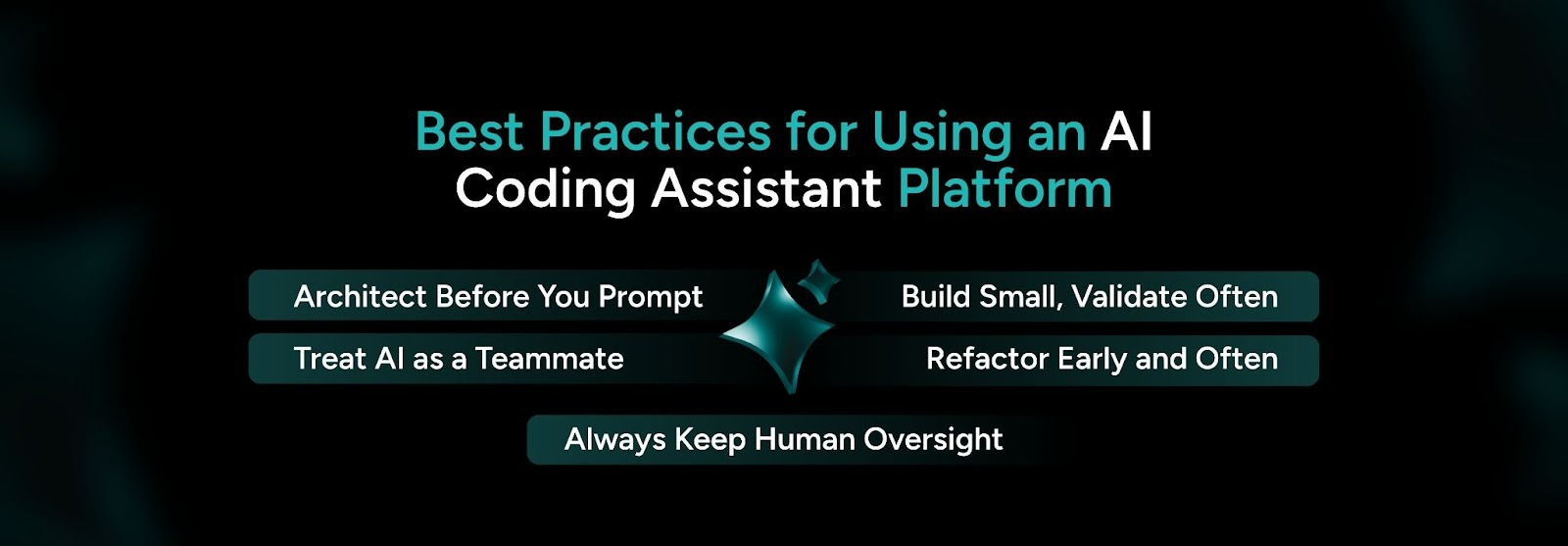
Using an AI coding assistant platform well depends on both mindset and method. Technology alone does not guarantee success. These five practices help you get the most value from every AI-assisted session.
1. Architect First, Prompt Second
Many developers make the same mistake when they start using an AI coding platform. They treat it like a magic box and expect ready-to-use code with very little context. When you do this, the AI may create code that works but lacks structure and clarity.
Start by mapping your project structure. Define modules, data flow, and component responsibilities. Your plan does not need to include every detail. It just needs to guide the AI clearly.
How to prepare before the first prompt:
2. Engage Your AI Like a Pair Programming Partner
Developers who gain the most value from an AI coding assistant platform treat it like a junior developer on the team. This mindset turns the tool into a true collaborator.
You should talk to the AI and explore its responses. When something looks unusual, pause and review it.
How to build a real pair programming workflow:
3. Build in Small Slices, Validate at Every Step
Generating large sections of code at once often leads to mistakes. Misunderstandings and integration issues also grow quickly when the code size increases. A step-by-step approach works much better with an AI coding tool.
Break work into small and manageable parts. Test and confirm each part before moving ahead. Each verified step becomes a stable base for the next part. This approach keeps your progress steady and reliable.
How to apply this approach:
4. Refactor Continuously and Prevent Technical Debt
AI-generated code may function correctly. However, it does not always follow a clean structure. Over time, this can create large files and a messy organization.
You should refactor regularly to maintain a clean and scalable codebase. Regular cleanup also improves the quality of future AI suggestions.
How to include refactoring in your workflow:
5. Keep a Human in the Loop Every Time
AI works quickly, but it still makes mistakes. Without human review, those mistakes can become costly.
Treat your AI coding assistant like a knowledgeable but inexperienced developer. You must guide and review its work carefully. Always review AI-generated code with the same attention you give to any developer contribution.
How to maintain strong human oversight:
Suggested Read: How Codespell Accelerates Enterprise App Development with AI-Generated Code
Teams need a broader strategy when they scale AI coding tools. High-performing teams combine good habits with thoughtful operational choices. This approach helps them unlock the full value of AI.
Here are the strategies that help strong teams stand out.
1. Understand Your AI Strengths and Limitations
Each AI coding assistant tool performs well in certain tasks. However, complex logic still needs strong human guidance. When you understand these strengths, you can assign the right tasks to AI.
2. Provide Specific Context in Every Prompt
Clear prompts lead to better results. Share relevant code snippets, rules, and goals in every prompt. Specific instructions guide the AI toward stronger outputs.
3. Leverage Personalization Features
Many tools offer customization features. You can define preferred frameworks or coding style guidelines. When you personalize the tool, the AI produces more consistent results.
4. Close the Feedback Loop
AI tools improve through feedback. Mark weak suggestions and refine your prompts as you work. Over time, the system learns from your input. This process leads to better suggestions that match your needs.
5. Stay Updated on Tool Evolution
AI coding assistant tools evolve quickly. New features and improvements appear often. Set aside time to review updates and explore new capabilities.
6. Consider Total Value, Not Just Cost
When you evaluate AI coding tools, look beyond the initial price. Consider the time saved during coding, debugging, and onboarding. These savings often create strong returns that exceed the starting cost.

Modernize legacy systems and turn them into scalable and high-performance infrastructure with SoftSpell. Build systems that support enterprise innovation and long-term growth. Improve your development workflow with CodeSpell, an AI coding assistant that works like your AI-powered copilot. It helps you deliver software faster and with greater accuracy.
Speed up your software delivery with CodeSpell. This AI coding assistant generates code, writes documentation, and breaks down complex logic quickly. It also provides real-time suggestions that help improve your productivity.

AI coding assistant platforms do not replace developers. Instead, they multiply the impact of skilled teams. Developers who combine strong tools with clear habits deliver better software faster.
The five practices in this blog remain simple but powerful. They include planning architecture before prompting, working with AI as a collaborator, building step by step, refactoring often, and maintaining human oversight. When you apply them together, your AI coding assistant platform becomes a strong advantage.
Start with one practice today and build from there. You will see productivity grow steadily over time. Try CodeSpell for an AI coding tool that can transform your development workflow.





July 1, 2026
Don’t Miss Out
We share cool stuff about coding, AI, and making dev life easier.
Hop on the list - we’ll keep it chill.

© 2026, SoftSpell. All Rights Reserved


