


Changelog
July 1, 2026
.svg)
.png)
Talk to any engineering leader who has been through a legacy migration and you'll hear the same story. The technical work went reasonably well. The failure happened in the gaps - undocumented business logic that surfaced post-launch, test coverage that wasn't as complete as assumed, integrations that broke in production because they were never fully mapped.
Legacy migrations don't fail because teams aren't capable. They fail because the preparation phase is consistently underinvested. Teams rush to get into code because that's what feels like progress. But skipping or shortcutting the steps before go-live is where budget overruns, rollbacks, and extended stabilization periods are born.
This checklist covers every step your team needs to verify before cutover. It's built for CTOs, engineering directors, and migration leads who need a structured framework - not a theoretical guide.
The checklist
Step 1 - Complete a full system inventory
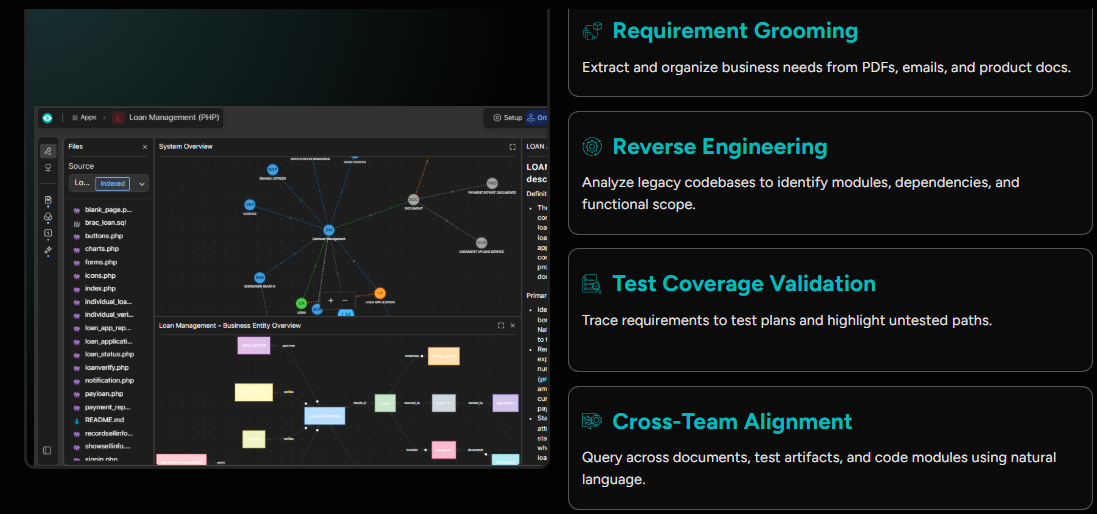
Before anything else, know exactly what you're migrating. This means every service, every dependency, every integration point, every batch job, every scheduled task. Legacy systems accumulate invisible complexity over decades. A formal inventory surfaces what's actually there, not just what the architecture diagram says.
ReqSpell helps with this by analyzing the codebase directly and extracting a structured map of modules, dependencies, and functional scope - including logic that was never formally documented.
Checklist items:
Step 2 - Document all business rules
This is the step most teams underestimate. Business logic embedded in legacy code isn't just technical - it encodes years of operational decisions, regulatory requirements, and edge cases that users depend on.
Before migration, every business rule needs to be extracted, documented, and validated with business stakeholders. Any rule that isn't documented is a production defect waiting to happen.
ReqSpell automates this extraction, converting legacy code and documentation into structured, queryable requirement sets that engineering and business teams can review together.
Checklist items:
Step 3 - Identify and classify technical debt
Not all legacy code is equal. Some of it is stable and low-risk. Some of it is fragile, undocumented, and heavily coupled. Before migration, classify your technical debt so you know where the risk concentration is and where to invest the most care.
Checklist items:
Step 4 - Define the target architecture
Know exactly what you're building toward before you start moving. Define the target state - cloud provider, architecture pattern (microservices, modular monolith, serverless), data architecture, and deployment model. Ambiguity in the target state leads to rework.
Checklist items:
Step 5 - Choose your migration strategy
Different systems call for different approaches. Rehosting (lift-and-shift) is fastest but captures least value. Refactoring preserves business logic while modernizing architecture. Rebuilding from scratch delivers the most flexibility but carries the highest risk. Re-platforming finds the middle ground.
Define your strategy at the component level, not just the system level. Different parts of the system may call for different approaches.
Checklist items:
Step 6 - Define your data migration plan
Data is often the hardest part of legacy migration. Schema differences, data quality issues, and transformation requirements all need to be addressed before cutover. A data migration that fails in production is a crisis.
Checklist items:
Step 7 - Establish coding standards and review gates
Modern architecture requires modern engineering practices. Before transformation begins, establish the coding standards, code review gates, and CI/CD pipeline your team will build against. Consistency from the first commit prevents the new system from accumulating technical debt before it launches.
CodeSpell enforces coding standards automatically during code generation, ensuring consistency across teams and reducing review overhead.
Checklist items:
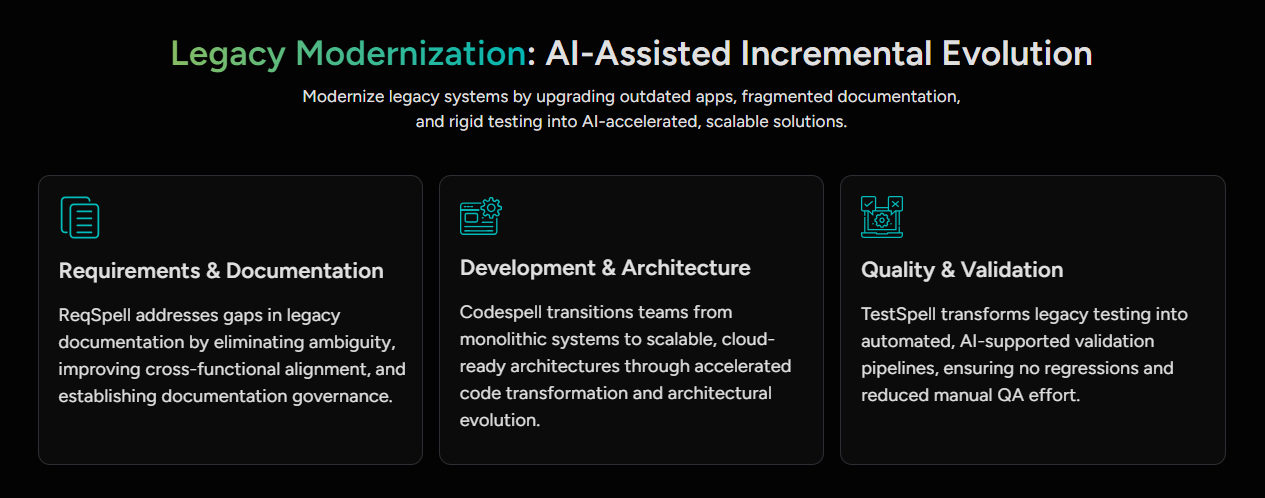
Step 8 - Track requirements traceability throughout development
Every feature in the new system should be traceable to a documented requirement. This matters for quality assurance, compliance audits, and post-launch debugging. Teams that skip traceability during development pay for it in the stabilization phase.
ReqSpell maintains requirement-to-code traceability throughout the development cycle, so you always know which requirements are implemented, which are outstanding, and which have no test coverage.
Checklist items:
Step 9 - Build comprehensive test coverage before cutover
This is the most commonly skipped step under timeline pressure - and the one that causes the most post-launch incidents. Your new system needs test coverage that reflects actual business intent, not just happy-path flows.
TestSpell generates test cases from requirements automatically, covering both functional paths and edge cases. Coverage is linked to business rules, not just code lines, which means gaps are caught before they reach production.
Checklist items:
Step 10 - Complete user acceptance testing with real stakeholders
Automated testing catches technical defects. User acceptance testing catches the business logic gaps that automated tests miss - the workflow that users actually run, not the one that was documented three years ago.
Involve business stakeholders directly in UAT. Not just sign-off, but hands-on testing of the workflows they depend on.
Checklist items:
Step 11 - Validate your rollback plan
Cutover day is not the time to discover your rollback plan doesn't work. Test it. Run a full rollback drill before go-live. Know exactly how long rollback takes, who owns it, and at what decision point you trigger it.
Checklist items:
Step 12 - Define your go-live monitoring and support plan
The first 72 hours after cutover are when production surprises surface. Have monitoring in place, know what your alert thresholds are, and have engineering support staffed and available - not on-call, but actively watching.
Checklist items:
What makes SoftSpell different from point tools is that ReqSpell, CodeSpell, and TestSpell connect across the full migration lifecycle.
ReqSpell handles Steps 1, 2, and 8 - system inventory, business rule documentation, and traceability. CodeSpell handles Steps 7 and the technical execution of your migration strategy in Step 5. TestSpell handles Steps 9 and connects directly to the requirements that ReqSpell produced - which means coverage is always mapped to business intent.
The three products share context. When a requirement changes in ReqSpell, CodeSpell and TestSpell see it. That connected intelligence is what eliminates the gaps that checklist items are designed to catch.
Running a legacy migration and want a second opinion on your approach?
Book a Demo - SoftSpell's team works with enterprise engineering organizations at every stage of migration planning. Bring your current stack and your timeline, and we'll show you exactly where AI can compress the critical path.



July 1, 2026
Don’t Miss Out
We share cool stuff about coding, AI, and making dev life easier.
Hop on the list - we’ll keep it chill.

© 2026, SoftSpell. All Rights Reserved


