


Changelog
July 1, 2026
.svg)
What's the real cost of shipping software that was not tested well enough?
The impact goes beyond a quick fix. It includes missed SLAs and unhappy clients. Some clients quietly start looking for other options. Your engineering team then spends weeks fixing a release that should have taken days.
Choosing the right functional testing tools in software testing shapes your team’s speed and output. Many enterprises still choose based on the wrong criteria.
This guide helps you make a better choice. Think about how much time and effort you could save with the right tool.
Poor tool selection does not show problems right away. It builds over time.
What it looks like in month one: You see a few unstable tests. You notice small delays, but nothing serious.
What it looks like in month six:
When you choose the wrong functional testing tool, you create a business problem, not just a QA issue. Costs grow over time, and fixing them becomes expensive.
You may face SLA penalties, lose customer trust, and deal with repeated internal work. These issues may not appear in tool comparisons, but they affect your business results.
Before you compare tools, you need to understand their role in your process.
Where Functional Testing Sits in the QA Chain
Functional testing checks if your software works as expected based on business needs. It ensures that login flows work, payments process correctly, and reports show the right data.
It sits between unit testing and full system or performance testing. This makes it the main quality checkpoint before release. If issues pass this stage, users will see them.
Why It Becomes Hard to Scale at the Enterprise Level
At a small company, one QA engineer using one tool for one application works well. At an enterprise level, things change. You handle many applications, teams across locations, parallel releases, and different environments.
Most tools are built for smaller setups. They lose performance, become hard to maintain, and limit team visibility at scale. That is where hidden costs start to grow.
The ‘It Works in Demo’ Problem
Every tool looks good in a demo. You see a controlled setup, clean test cases, and a smooth walkthrough.
Real enterprise environments look very different. You deal with UI changes that break locators overnight. You face parallel runs that wait instead of executing. You also see that different environments give inconsistent results.
Many software functional testing tools cannot handle this. They do not fail loudly. They fail slowly, while your QA team covers gaps with manual fixes. Over time, your team builds extra effort around a tool that never fit your needs.
The Symptoms Worth Auditing Right Now
If two or more of these sound familiar, you need to review your current tool:
Generic lists do not help much. You need a clear and repeatable way to evaluate tools.
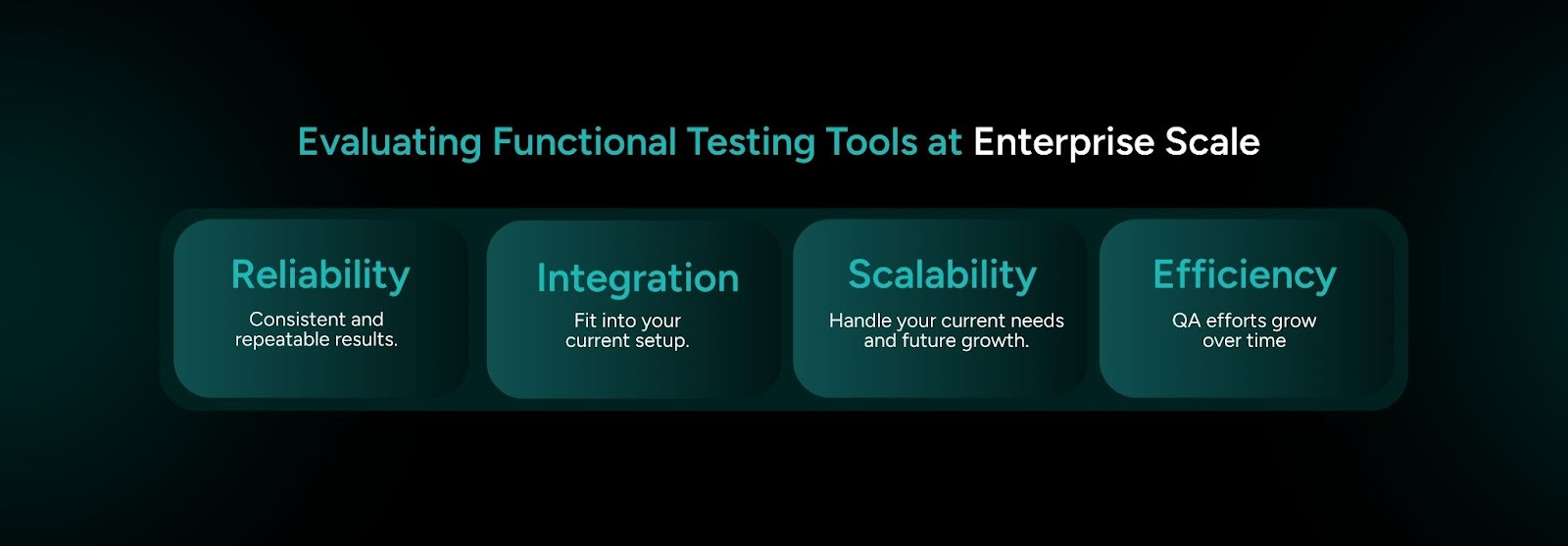
Reliability
The question: Does the tool give consistent and repeatable results, or does it create unstable failures?
What to evaluate
An unreliable tool slows your team. It also reduces trust in test results.
Integration
The question: Does the tool fit into your current setup, or does it need a separate system?
What to evaluate
Every tool claims easy integration. Look deeper and review the technical setup. Think about how smoothly this tool can fit into your workflow.
Scalability
The question: Can the tool handle your current needs and future growth?
What to evaluate
Scalability affects both performance and cost.
Efficiency
The question: How much time and effort does your team spend using this tool?
What to evaluate
Efficiency decides whether your Quality Assurance efforts grow over time or get lost in extra work.
Understanding functional testing types in software testing also means understanding which tool categories serve which scenarios. No category is universally right.
The right category depends on your team composition, infrastructure constraints, compliance requirements, and growth trajectory. A tool that's perfect for a 5-person QA team is often a liability for a 50-person one.

TestSpell from SoftSpell is a complete AI-powered test automation tool. It helps you manage the full test lifecycle, from requirement intake to final reporting. It focuses on speed and accuracy. This helps your team keep quality aligned with your development pace.
Key Features of TestSpell
Built for Every Role in the SDLC
TestSpell connects directly with your SDLC. It keeps testing aligned with your development flow. You can start testing early with requirement-driven automation. You can run tests in parallel and track results through detailed reports.
Suggested Read: Evaluating AI Testing Platforms? Here’s How TestSpell Outperforms Traditional Automation Tools
Choosing functional testing tools in software testing is not just a simple checklist task. It shapes your product quality, release speed, team efficiency, and customer experience.
Enterprises that get this right do not always spend the most. They focus on clear criteria like reliability, integration, scalability, and efficiency before they move to a proof of concept.
Review your current challenges with honesty. When you want to see how a solution fits these needs, we are ready to guide you. Think about how much stronger your testing strategy can become with the right approach.




July 1, 2026
Don’t Miss Out
We share cool stuff about coding, AI, and making dev life easier.
Hop on the list - we’ll keep it chill.

© 2026, SoftSpell. All Rights Reserved


