


Changelog
July 1, 2026
.svg)
.jpg)
The rise of design-to-code converter tools has fundamentally changed how product teams move from wireframes to working interfaces. What once took days of manual handoff can now happen in minutes. But faster doesn't always mean smoother.
As more teams adopt these tools, a clear pattern of recurring problems is emerging, from misaligned UI elements to broken integrations and messy generated code that developers have to rewrite from scratch.
These challenges don't just slow teams down; they quietly erode trust between designers and developers and chip away at product quality. Understanding these problems is the first step toward solving them and building a handoff process that actually works.
In this blog, we’ll break down the most common issues teams encounter with design-to-code converters and why they happen. You’ll learn how these problems impact both design fidelity and development efficiency, and you will also discover design to code platforms to make your work more efficient.
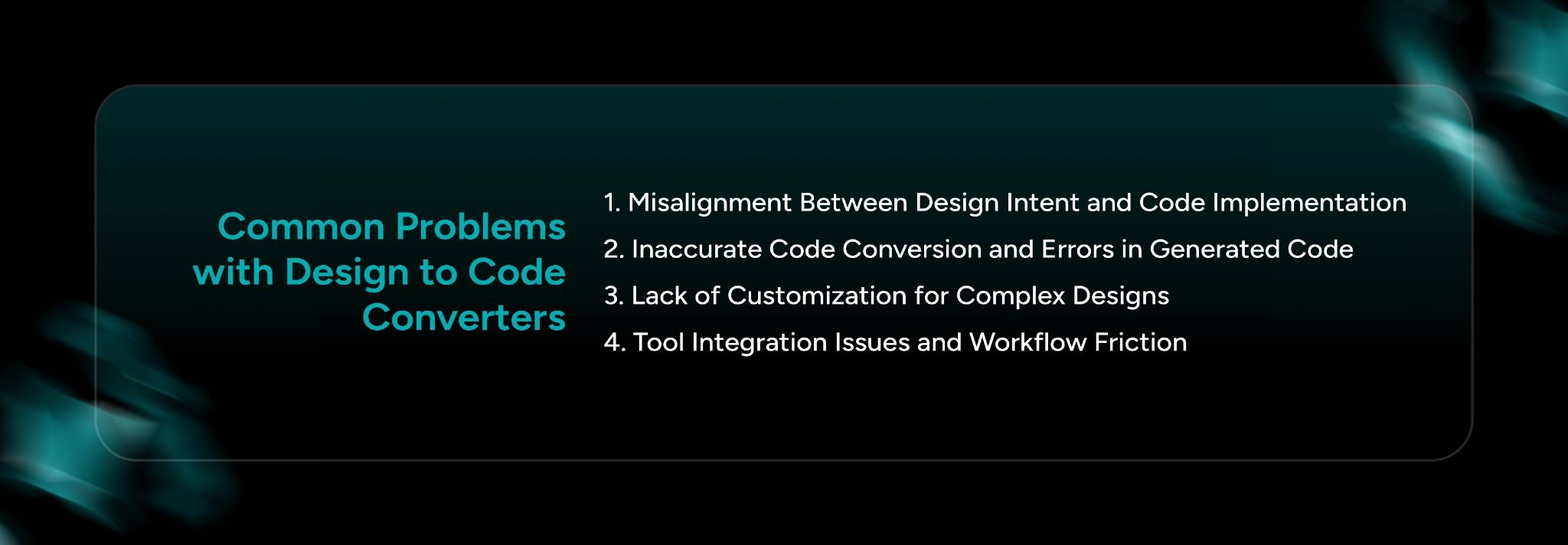
The common problems with design to code converters are:
1. Misalignment Between Design Intent and Code Implementation
2. Inaccurate Code Conversion and Errors in Generated Code
3. Lack of Customization for Complex Designs
4. Tool Integration Issues and Workflow Friction
Despite the promise of automation, most teams encounter predictable pain points when using design-to-code tools. These problems range from technical inaccuracies in the output to deeper workflow and collaboration issues that affect the entire team.
1. Misalignment Between Design Intent and Code Implementation
One of the most frustrating problems teams face is the gap between what the designer intended and what the converter actually produces. When you convert design to code, the tool doesn't always understand the why behind design decisions; it only reads the what.
There's also the broader problem of pixel-perfect expectations in production environments. Designers often build for a single screen size or an idealized viewport. Developers know that real production code must be responsive, accessible, and performant, three requirements that don't always survive the conversion process intact.
The result is a constant negotiation between design fidelity and practical implementation.
2. Inaccurate Code Conversion and Errors in Generated Code
Even when a design converts visually, the underlying code can be a mess. This is one of the biggest technical complaints development teams have about current design-to-code tools.
3. Lack of Customization for Complex Designs
Most code tools are built around common design patterns, standard buttons, text fields, and basic grids. They perform reasonably well on simple layouts but begin to break down as design complexity increases.
Real examples of this include complex data visualizations, multi-step form flows with conditional logic, and sidebar navigation patterns that collapse and expand based on user state. These are exactly the kinds of designs that modern apps are built around, and exactly the ones that current tools handle poorly.
4. Tool Integration Issues and Workflow Friction
Even a technically accurate conversion becomes a problem if it doesn't fit into how the team actually works. Tool integration issues are a major source of friction that teams don't always anticipate until they're already mid-project.
Robust integrations are not a nice-to-have; they are essential for team collaboration and efficiency. Without them, convert figma design to code becomes a one-time action rather than a living part of the workflow.
How Do Design to Code Converters Impact Team Collaboration?
Beyond technical issues, design-to-code converters introduce real interpersonal and organizational friction. When a tool doesn't work the way both designers and developers expect, blame follows quickly, and it usually lands on the other team.
The friction between designers and developers often comes from miscommunication about what the converter can and cannot do. Designers assume the converter will faithfully reproduce their intent. Developers assume the output will be clean and production-ready. When neither assumption holds, both teams are frustrated and pointing fingers.
1. Lack of Real-Time Collaboration and Feedback Loops
Most current Figma design-to-code tools operate in a waterfall-style model: the designer finishes, the conversion happens, and the developer receives output. There's no feedback mechanism built into the process.
2. Real-time feedback could dramatically reduce design-to-code errors
By allowing developers to flag potential implementation issues before a design is finalized, and letting designers see how their choices translate into code as they make them. This kind of collaborative loop doesn't exist in most tools today.
3. Without live collaboration features
Teams fall back on async communication, Slack messages, Figma comments, and long email threads to resolve questions that could have been caught in seconds with the right tooling. This slows iteration cycles and makes it harder to maintain momentum on fast-moving projects.
4. Inability to Handle Advanced Interactivity and Dynamic Elements
This is perhaps the most significant technical limitation of current tools. Advanced UI elements, animations, parallax effects, dynamic content loading, and gesture-based interactions, are essentially invisible to most converters. They either get stripped out entirely or replaced with static placeholders that developers have to build from scratch anyway.
5. For modern web and mobile apps
This is a serious problem. User expectations around interactivity are higher than ever, and the most engaging parts of a product's UI are almost always the parts that converters can't handle.
Workarounds exist, but they're imperfect. Some teams use converters for structural layout only and hand-code all interactive elements. Others build a component library of pre-coded interactive elements that get layered on top of converted output. Both approaches add complexity and require coordination, undermining the purpose of using a converter in the first place.
The problems covered above are real, persistent, and costly, but they're not inevitable. CodeSpell is built specifically to address each of them with a practical, team-first approach.
The problems teams face with design-to-code converter tools are not simply technical inconveniences; they're workflow blockers that slow product delivery and create friction between the people responsible for building great products.
From misaligned UI output and messy generated code to poor tool integration and the complete absence of support for dynamic interactions, the gap between what current converters promise and what they deliver remains wide.
Choosing the right tool and building clear processes around it makes all the difference. Teams that treat conversion as a living part of their workflow, rather than a one-time action, tend to get significantly better results. And for teams ready to close that gap entirely, CodeSpell offers a direct path to a cleaner, faster, and more collaborative design-to-development process.
Book a demo with CodeSpell to gain more insights into the design-code converter and its challenges.




July 1, 2026
Don’t Miss Out
We share cool stuff about coding, AI, and making dev life easier.
Hop on the list - we’ll keep it chill.

© 2026, SoftSpell. All Rights Reserved


