Changelog - March 2026

Changelog

April 1, 2026

Softspell continues to strengthen its AI-driven SDLC ecosystem with enhancements focused on improving documentation efficiency and expanding developer experience across IDEs.

This month’s updates are designed to reduce friction, improve accessibility, and enable faster execution across teams.

Key Highlights

1. Instant ER Diagram Download

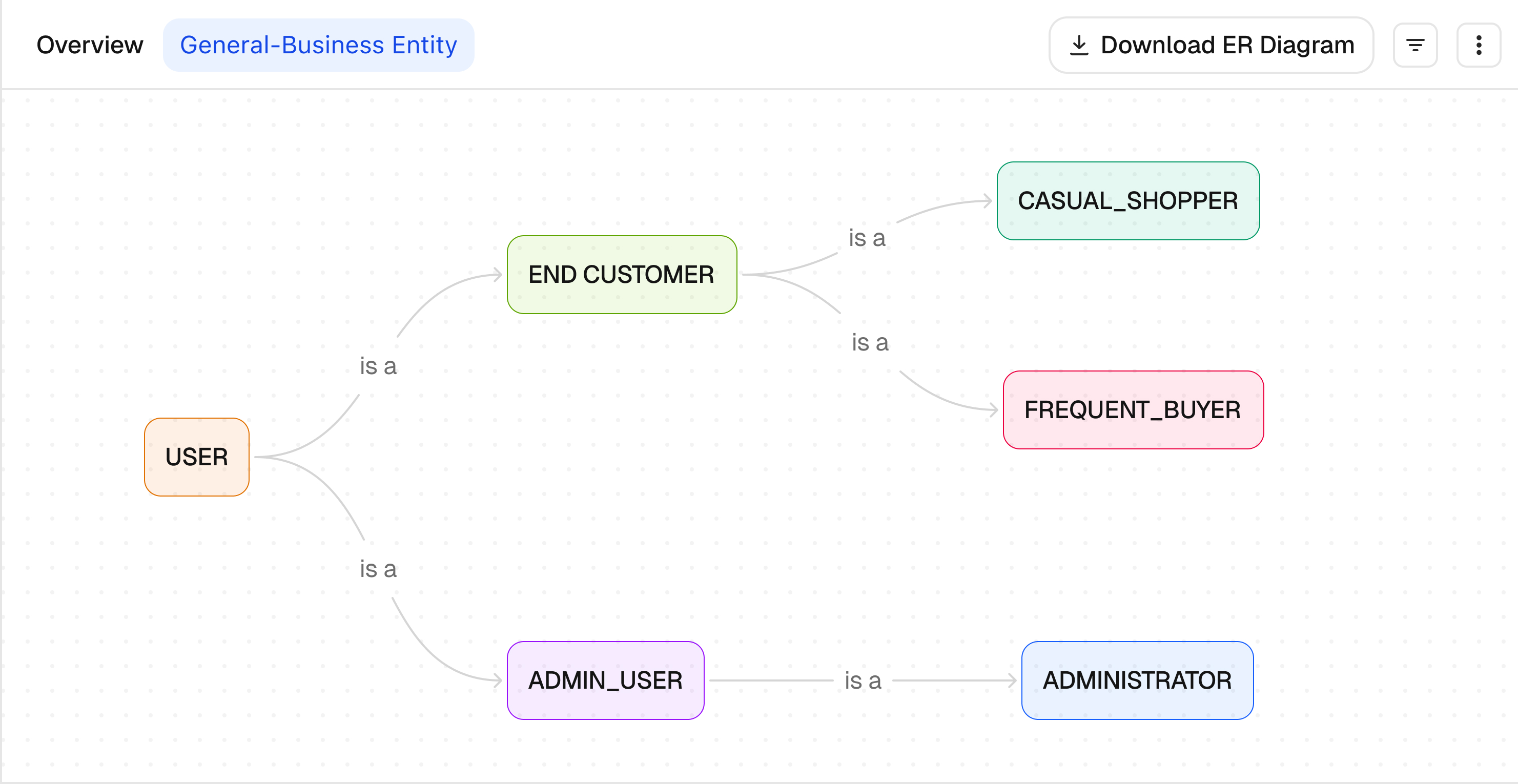
Teams can now instantly download ER diagrams generated by ReqSpell with a single click. This enhancement simplifies documentation workflows and enables seamless sharing across stakeholders, accelerating design validation and collaboration cycles.

Business Impact:
  • Reduces manual effort in documentation
  • Improves stakeholder alignment
  • Enables faster design approvals
Download ER Diagram

2. Workspace Context Support for Eclipse & IntelliJ

Expanding beyond VS Code, workspace context support is now available in Eclipse and IntelliJ. This enhancement enables deeper code understanding and more accurate contextual assistance directly within widely used enterprise IDEs.

Business Impact:

  • Enhances developer productivity across ecosystems
  • Ensures consistent AI assistance across IDEs
  • Improves code navigation and contextual insights

What This Means for You

These updates are designed to eliminate inefficiencies across documentation and development workflows. With faster access to ER diagrams and enhanced IDE support, teams can reduce context-switching, improve collaboration, and accelerate delivery timelines while maintaining high code quality.
Table of Contents

    FAQ's

    1. How does the instant ER diagram download feature improve workflows?
    It enables teams to quickly export and share system designs without manual intervention, reducing delays in documentation and accelerating stakeholder approvals.
    2. Can ER diagrams generated by ReqSpell be used for external documentation?
    Yes, the downloaded ER diagrams are structured for easy integration into documentation, presentations, and collaboration tools, ensuring consistency across teams.
    3. What is workspace context support in Eclipse and IntelliJ?
    Workspace context support allows the system to understand the broader project structure, enabling more accurate code suggestions, insights, and contextual assistance within these IDEs.
    4. How does IDE expansion beyond VS Code benefit enterprise teams?
    It ensures that teams using Eclipse and IntelliJ can leverage the same level of AI-driven assistance, maintaining consistency and improving productivity across diverse development environments.
    5. Do these updates require additional setup or configuration?
    No complex setup is required. The features are designed to integrate seamlessly into existing workflows, allowing teams to adopt them with minimal friction.
    Blog Author Image

    Market researcher at Codespell, uncovering insights at the intersection of product, users, and market trends. Sharing perspectives on research-driven strategy, SaaS growth, and what’s shaping the future of tech.

    Don’t Miss Out
    We share cool stuff about coding, AI, and making dev life easier.
    Hop on the list - we’ll keep it chill.
